

Slate OS / For zoos & aquariums
The software behind
your Slate screens.
Manage species content, display settings, marketing campaigns and reporting across your venue or organisation.
Explore the software ↓Part of your Slate screen setup. An ongoing software subscription applies. See what your proposal covers ↗
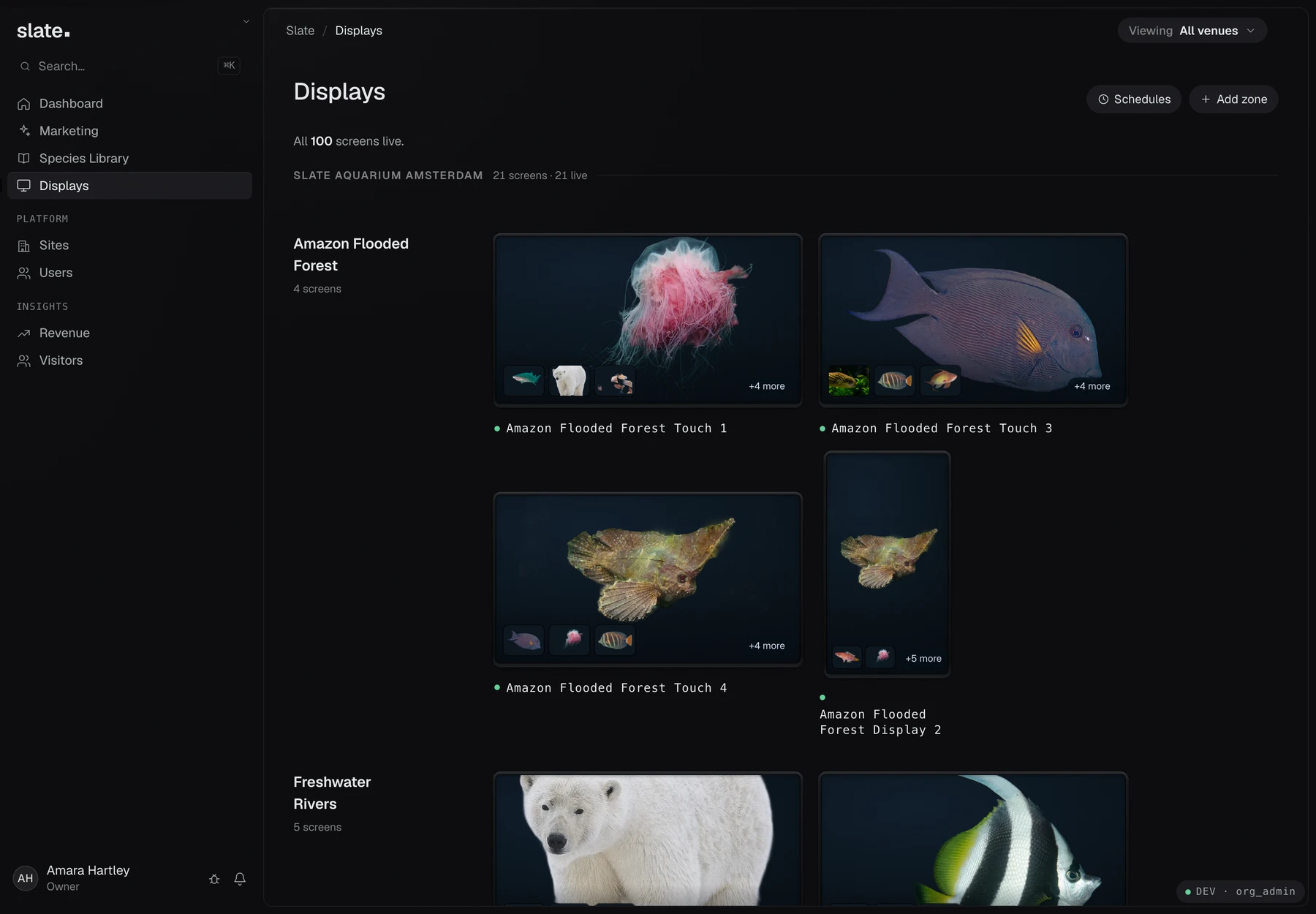
01 / The operator experience
Start with prepared species content.
Choose from Slate’s maintained global species library, add your venue’s story and assign species to displays. Tell us about any species you can’t find so we can check coverage.
From the species library
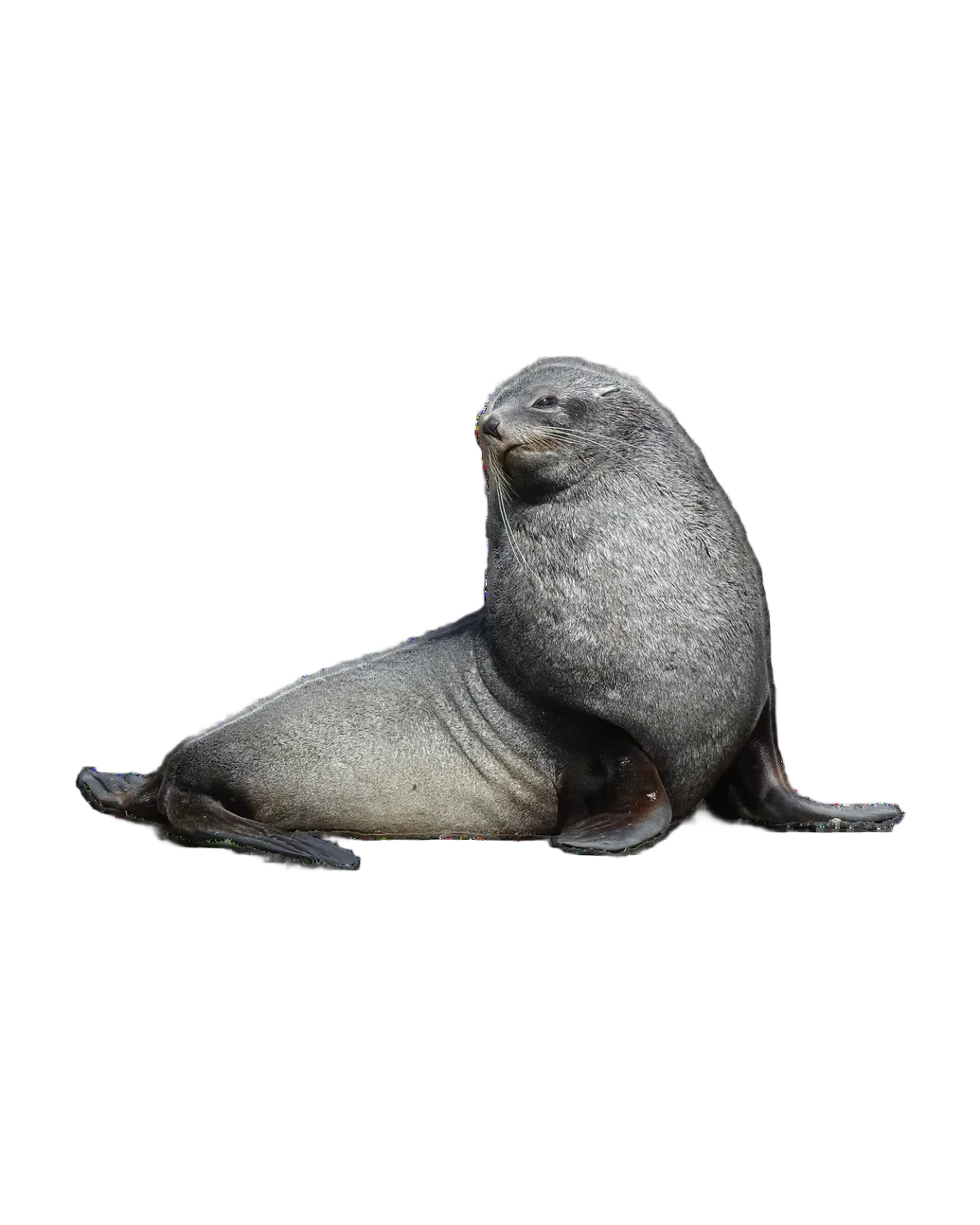
Antarctic fur seal
Arctocephalus gazella
Prepared and maintained by Slate
A complete species record
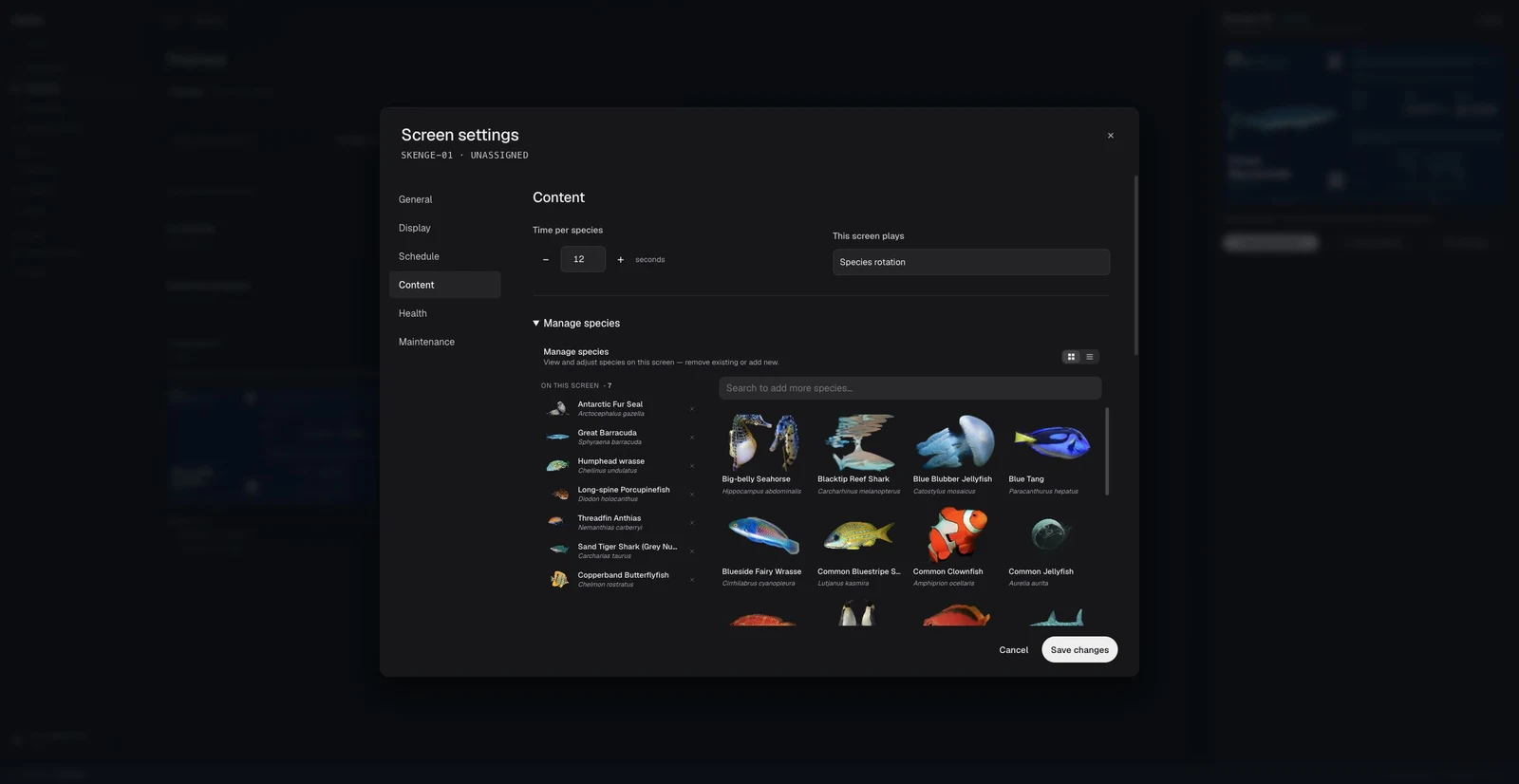
Start with existing content in the global library. No blank species record to write.
See the exhibit displays ↗


Slate OS / Kiosk Studio
Customisable
display editor.
Choose a starting design, then customise the layout, typography, imagery and content for your venue.
02 / Display configuration
Choose what visitors can do.
Enable or disable touch and maps, choose a single-species layout or a grid, and set display timing to suit visitor flow.
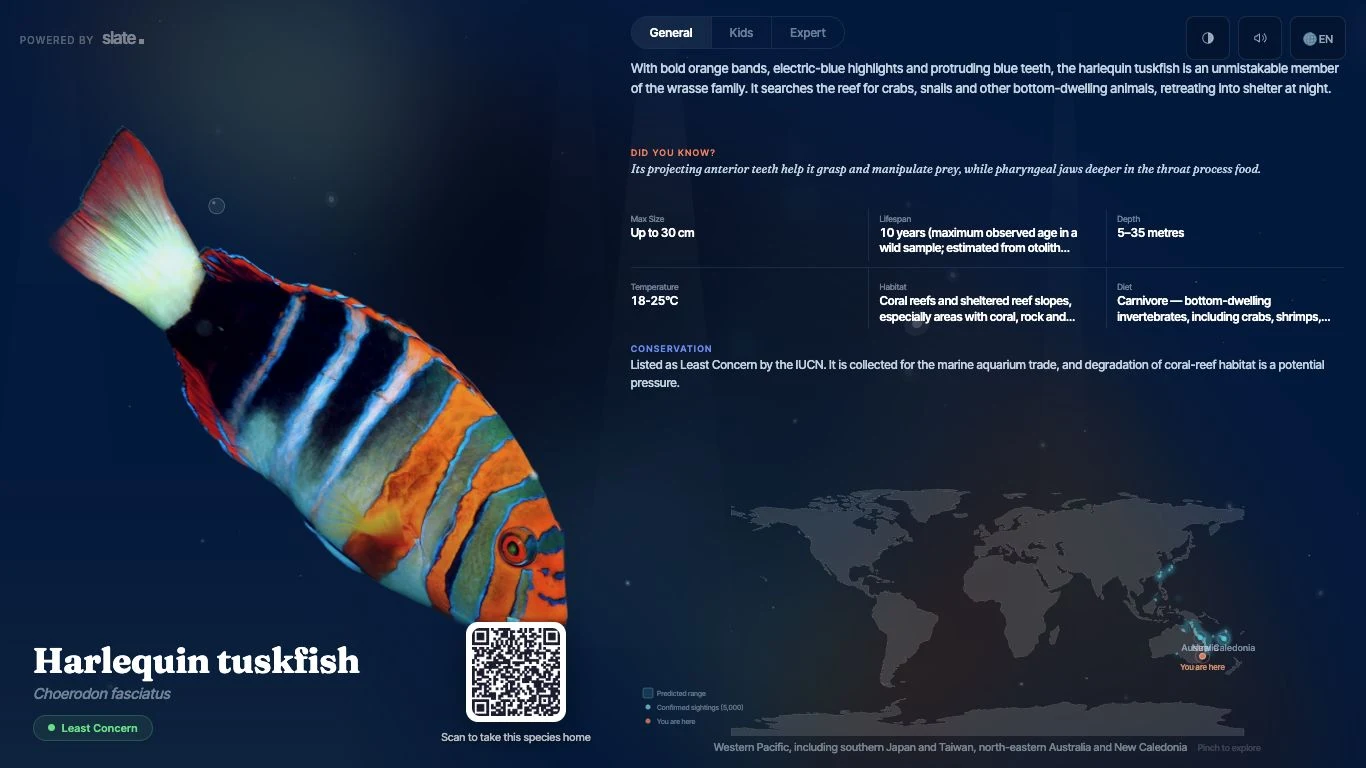
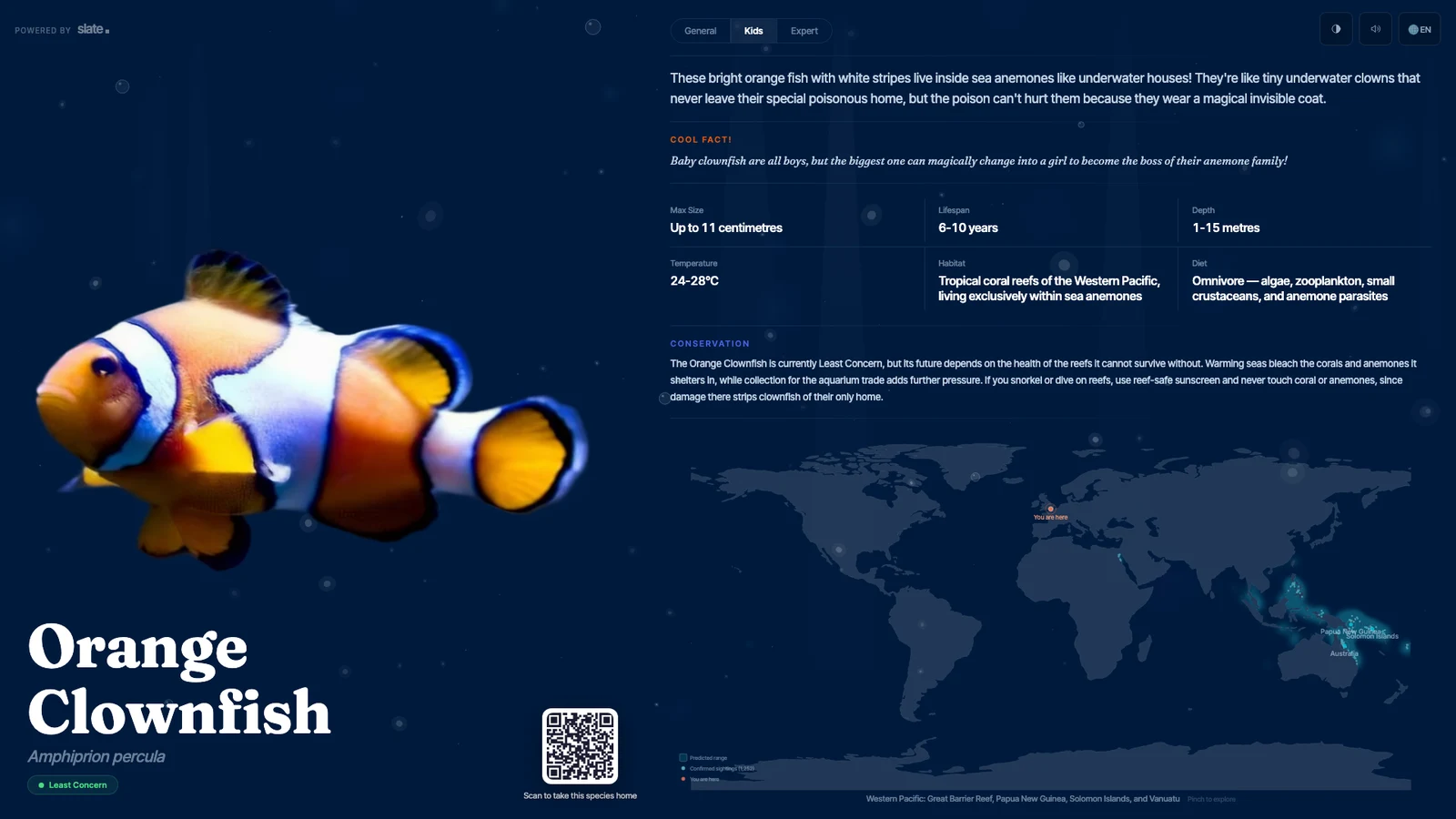
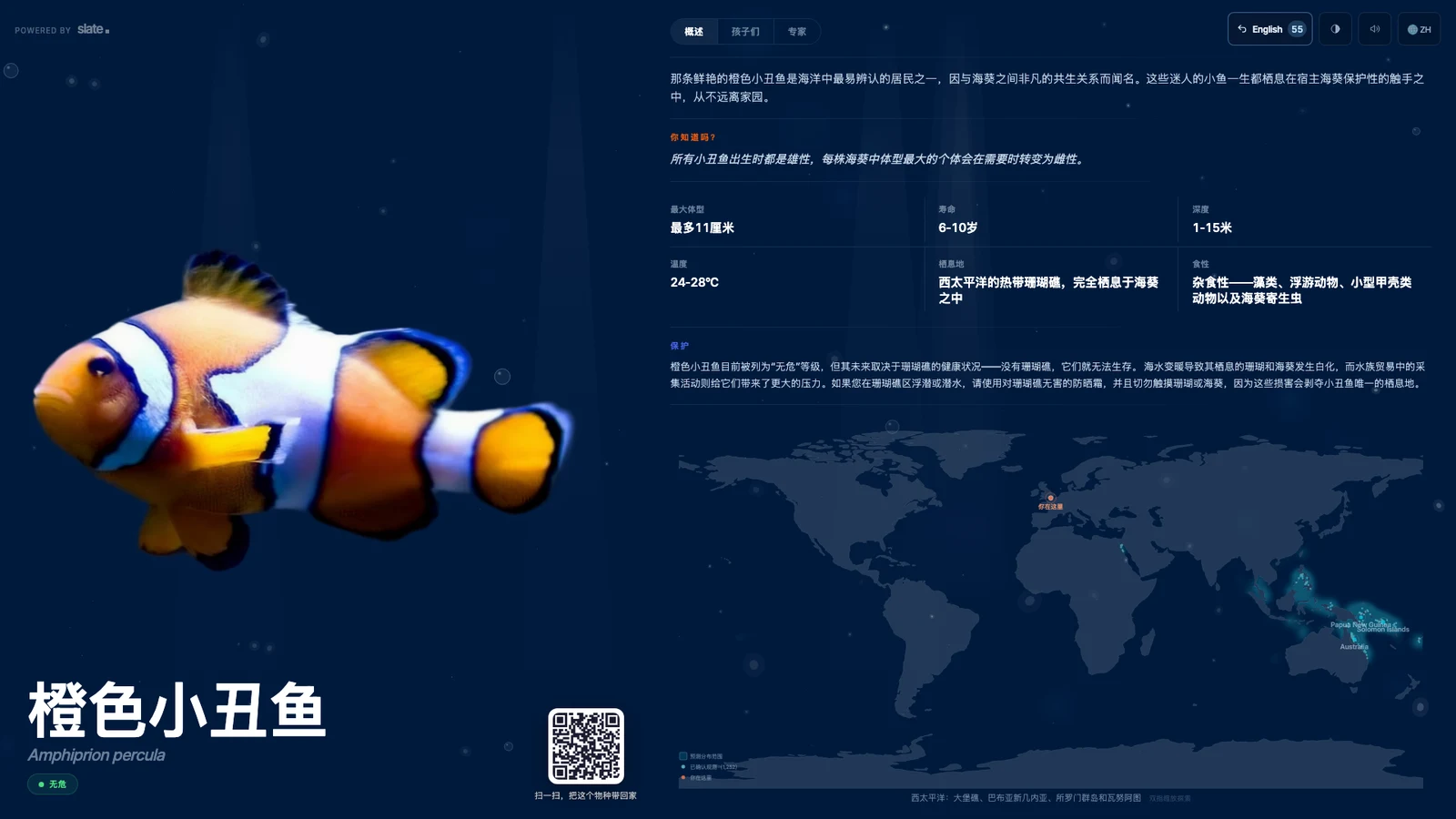
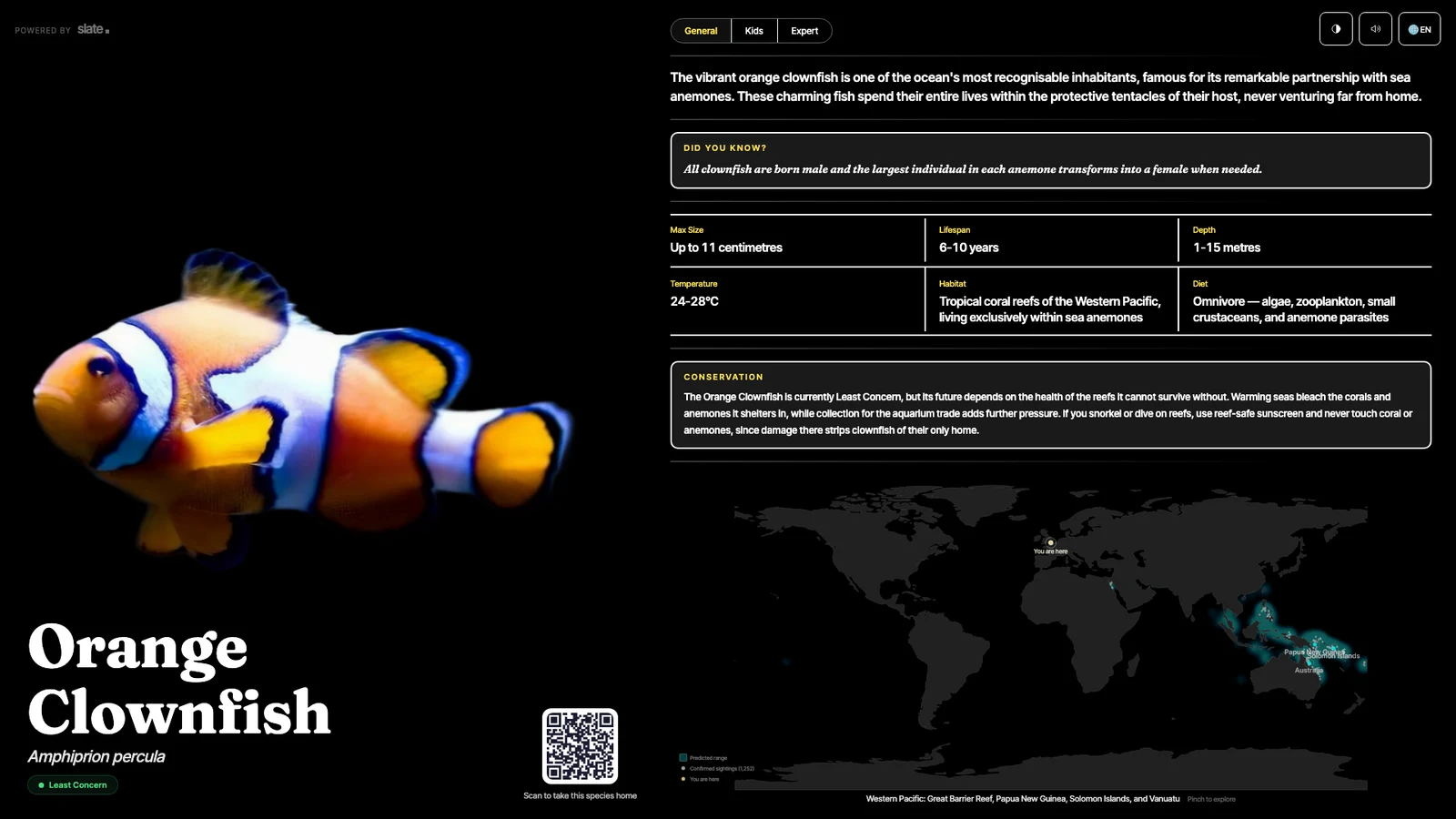
Visitor accessibility controls
Visitors can choose reading levels, languages, audio and contrast settings.
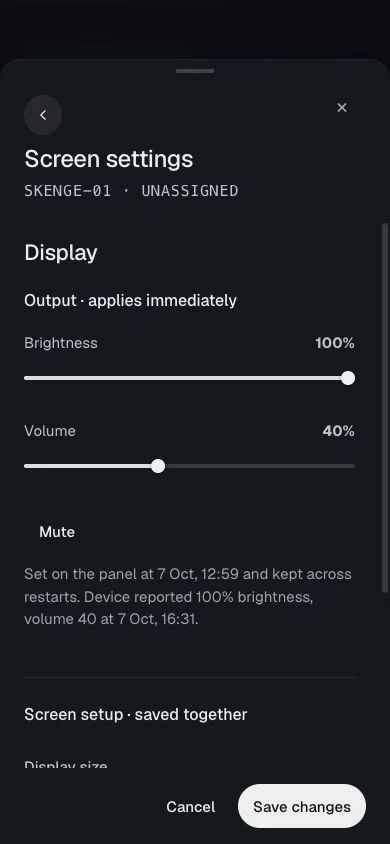
Mobile management
Mobile screen controls
Adjust brightness, volume and mute from your phone beside the exhibit. Use central management for changes across screens and sites.
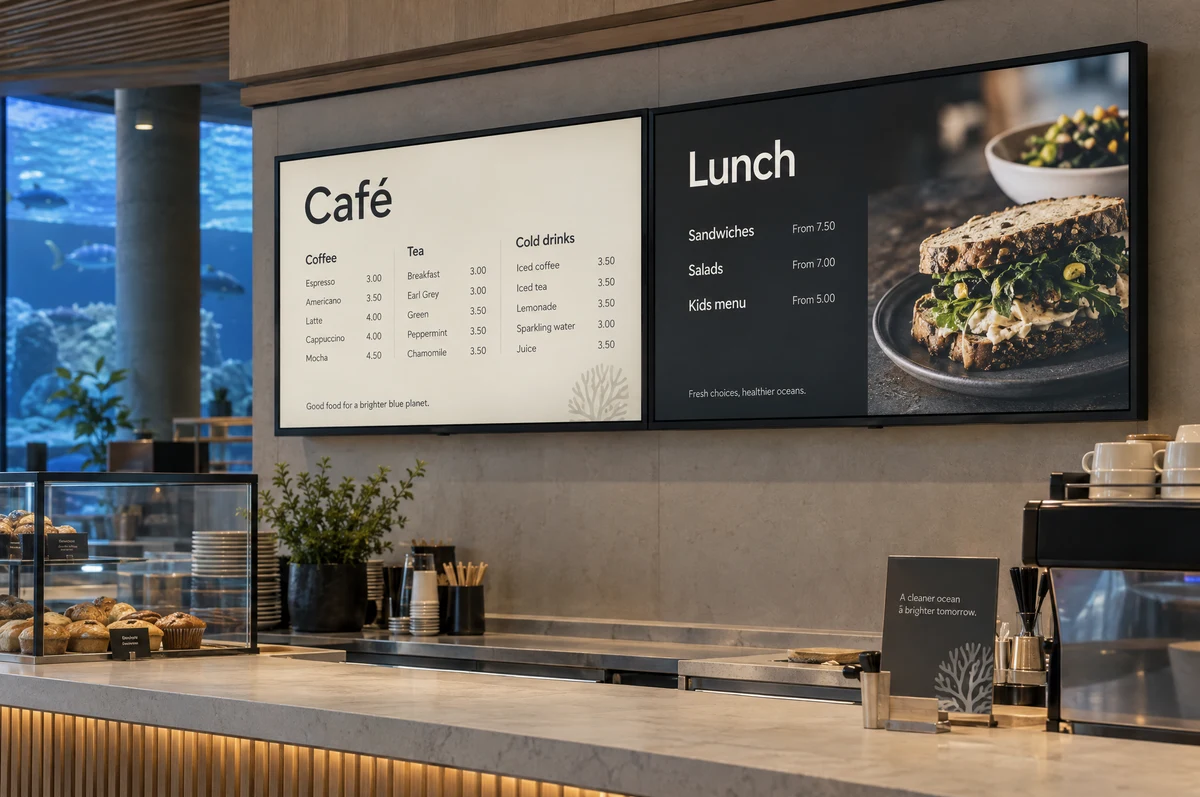
Slate OS capability
Digital signage across your venue
Use Slate OS to manage café menus, wayfinding, visitor information and promotions across your screens.
Choose the screen format for each location. Manage its content through the same software used for your exhibit displays.
Explore signage applications ↗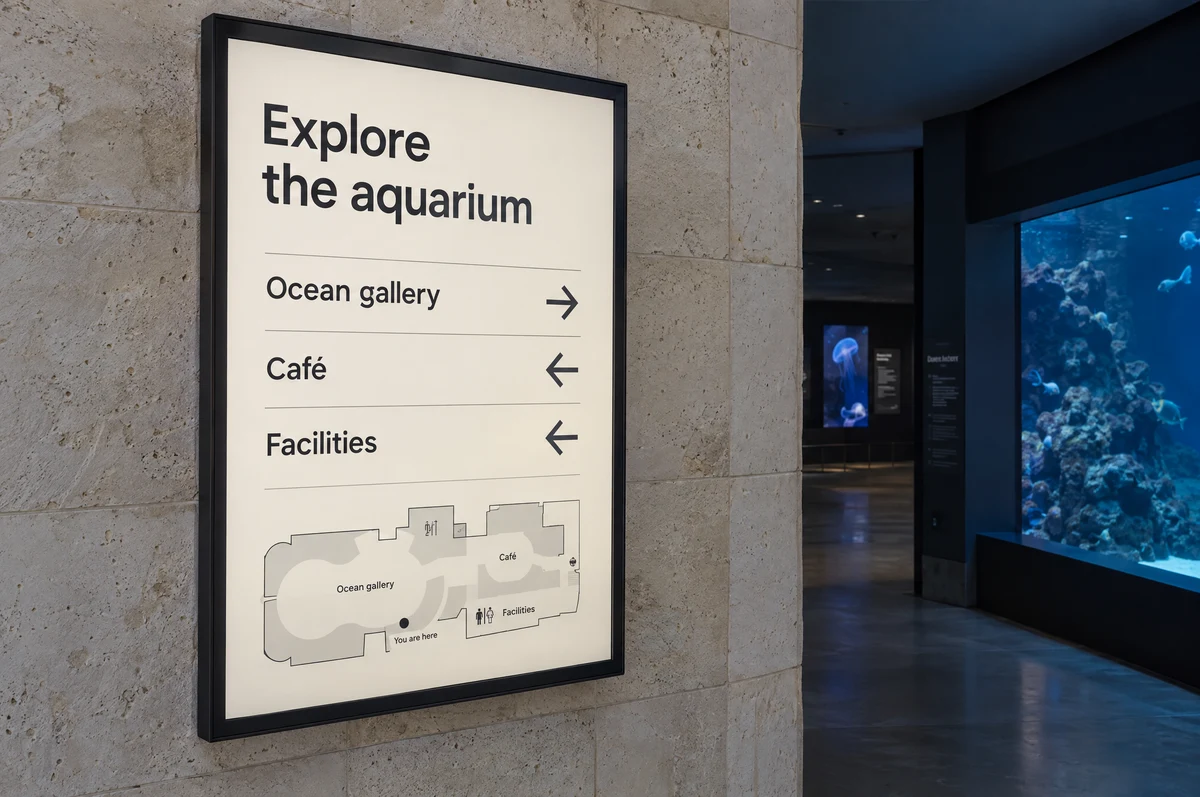
Wayfinding
Display directions to exhibits, cafés and facilities at key points around the venue.
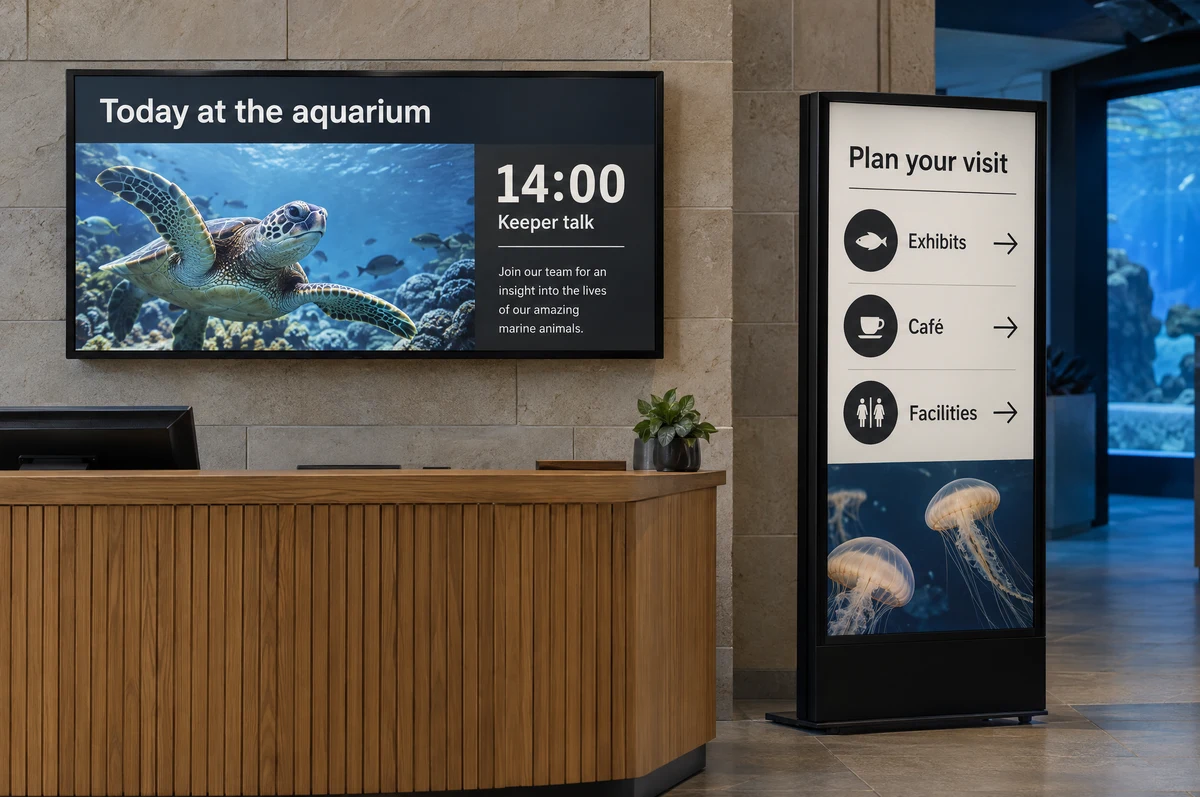
Visitor information
Show daily activities, keeper talks and visitor notices in entrance areas and shared spaces.
03 / Marketing built in
Create promotions.
Choose where they appear.
Design a promotion, choose the relevant screens or species, and set its schedule. Publish when you’re ready to send it to visitors.
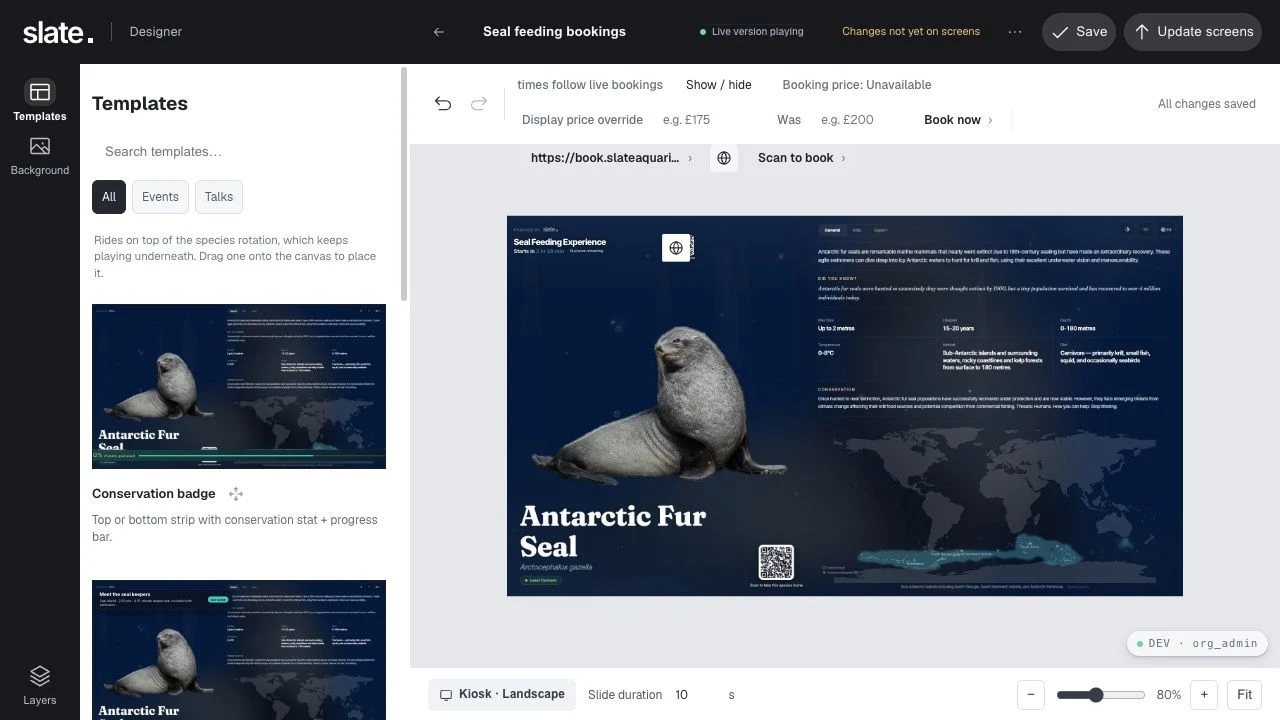
A rule with a commercial purpose
Promote experiences while places remain.
Make a promotion eligible when bookings meet your chosen fill threshold. Combine availability with the right species, screens or sites.
- Connect the bookingsMatch incoming bookings to an experience and its configured capacity.
- Set the conditionChoose the availability threshold and time window for the campaign.
- Review, then publishPublish the campaign to the selected screens.
Availability rules require configured experiences, capacity and a supported data connection. Available data and update frequency depend on the provider. Explore connections ↗
04 / Revenue & visitor reporting
See what visitors respond to.
Understand the commercial journey and the visitor experience. Compare campaigns, species and sites, then use what you learn to plan the next change.
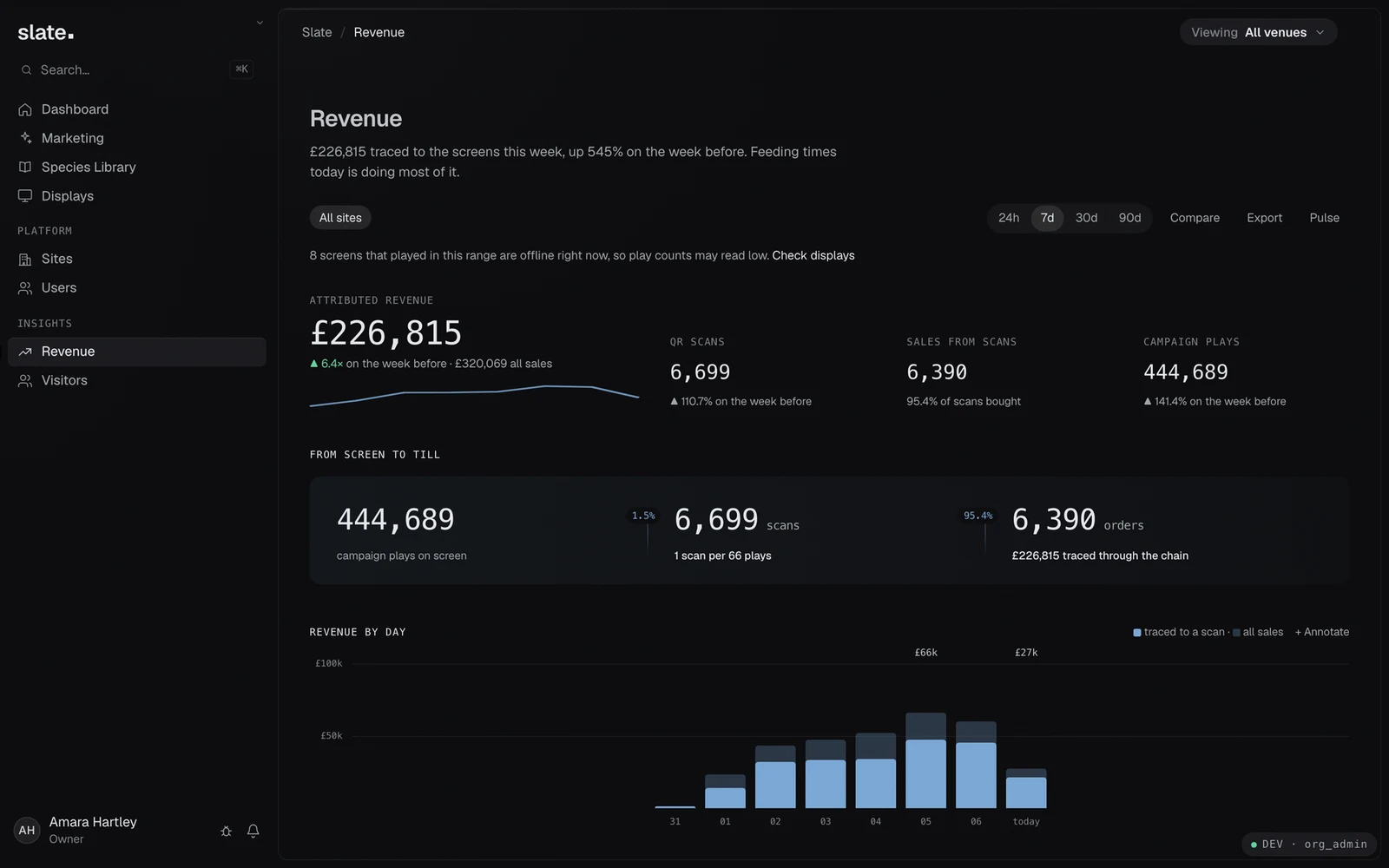
Campaign and sales reporting
See which campaigns lead to recorded scans and connected sales. Attribution shows the tracked journey; it does not establish incremental profit.
Visitor engagement reporting
Explore interactions, attention and busiest periods. Find the species and screens visitors spend time with.
05 / Plan it around your venue
Set up for one venue
or several sites.
Start with the displays and workflows you need. Plan content, hardware, connections and support together, with room for more sites and experiences.
Common questions
Can we manage more than one site?
Yes. Slate supports site-based screen management and campaigns across an organisation. Target particular screens, species or sites instead of recreating every campaign at each venue.
Does our team still review species content?
Slate maintains shared species content. Your team selects what appears and reviews the interpretation and venue-specific information before publishing.
Will it connect to our booking or sales system?
We’ll check the provider, available data and required workflow with you. Connections can support campaign decisions and attributed-sales reporting; the setup depends on the system. See sources and connections ↗
What about museums and bespoke interpretation?
Slate also develops interactive solutions for museums. The species workflow shown here is designed for zoos and aquariums; we can scope content and interactions around a museum collection or a custom brief.
More in Slate OS
Tools for everyday operation
Design and branding
- Brand kit
- Landscape and portrait
- Saved versions
- Draft & publish
Review and control
- Species previews
- Design checks
- Content visibility
- Motion controls
Daily operation
- Offline content
- Staff and site access
- Operating schedules
- Reusable templates
Your next step
See Slate working for your venue.
Tell us about your collection and your plans. We’ll show you the relevant screens, software and visitor experience.