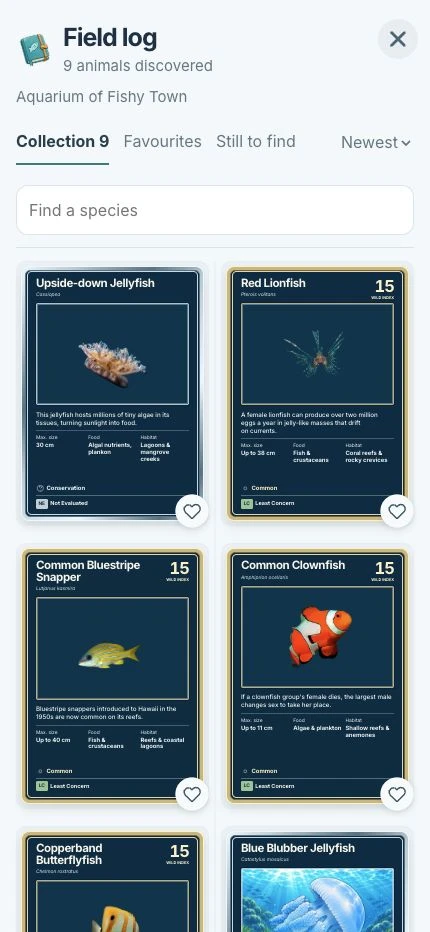
01 / Collect
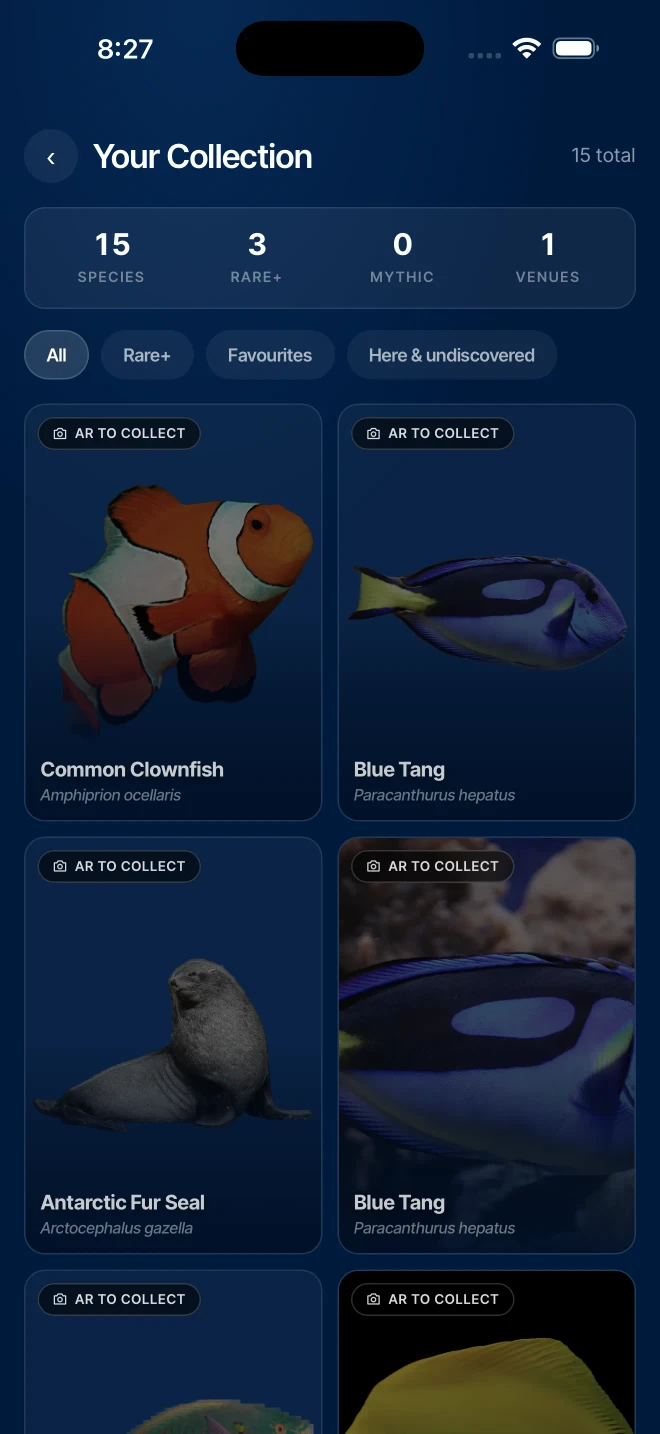
Collect species
Build a personal species collection during the visit. Browse collected species, save favourites and see what remains to discover.


Slate Explorer / For zoos & aquariums
Visitors collect species and complete discovery quests on their own phones.
Explore the game ↓Part of your Slate screen setup. An ongoing software subscription applies. See what your proposal covers ↗
Free mobile species guide
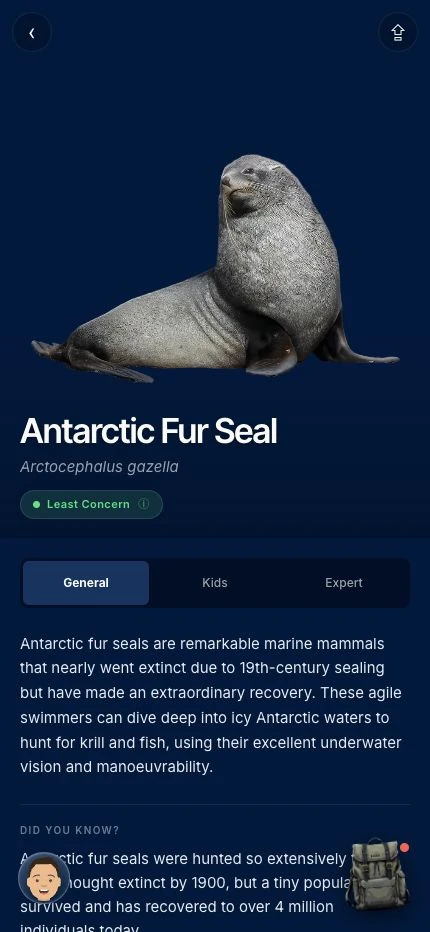
A visitor scans a screen’s QR code to open species information in their phone’s browser. No app-store download or Explorer purchase is needed.
Explorer is the optional game alongside that guide, adding collecting, habitat exploration and discovery activities.
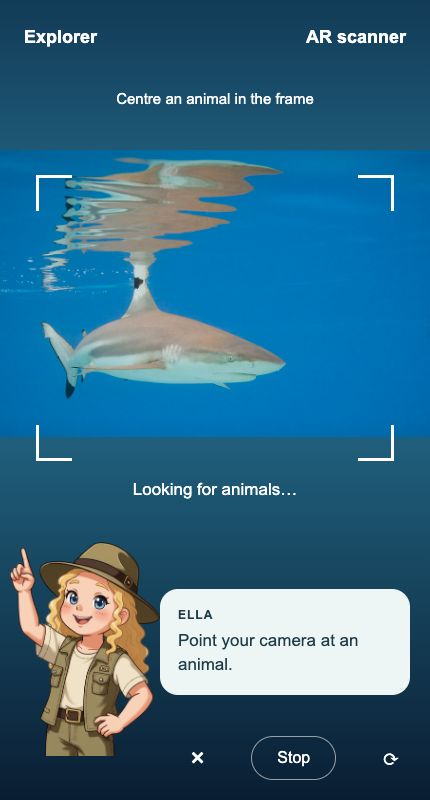
Visitors open a venue link or QR code in their phone’s browser. Ella introduces the experience and guides discovery—no app-store download required.
Visitor revenue
The species guide is free to visitors. Explorer game access is paid. We agree visitor pricing and the venue’s commercial arrangement before launch.
The visitor experience
01 / Collect
Build a personal species collection during the visit. Browse collected species, save favourites and see what remains to discover.
02 / Explore
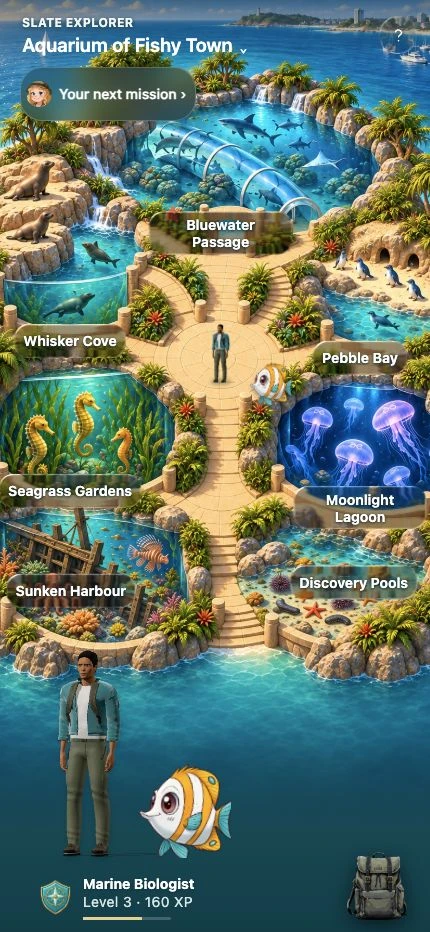
Visitors navigate the habitat map with their character and companion. Habitat areas connect the game to the animals around them.
03 / Look closer
Open species information to learn about the animal, its habitat and conservation. Reading-level choices make the content easier to approach at different ages.
Explorer species cards
Each card combines species artwork, animal facts and conservation information. Higher tiers use distinctive metallic finishes, with the species’ conservation status shown on the card.
Grey Nurse Shark · Mythic
This card pairs the Mythic finish with its Critically Endangered status and Wild Index of 95.
Venue setup
Choose a collection and visitor route, then test the experience with your team before introducing it to visitors.
Explore the wider Slate range ↗Identify the species and discovery opportunities that fit your collection and visitors.
Agree access, pricing, the commercial arrangement and how visitors learn about Explorer.
Test entry, camera permission, payment and collection on iPhone and Android. Check Wi-Fi or mobile coverage along the route and give staff a simple visitor introduction.
Also available on Slate screens
Explore the display-game library for exhibit screens. Explorer is the mobile collecting and quest experience.
No. The mobile species guide is available without an Explorer purchase. Paid access applies to the optional game.
The visitor experience opens in the phone’s browser from a link or QR code. No app-store download is required.
Ask us about a standalone setup. We’ll review your collection, visitor entry points, connectivity and commercial requirements.
Your next step
Tell us about your collection and your plans. We’ll show you the relevant screens, software and visitor experience.