Slate

Interactive displays for
zoos & aquariums.

Built to teach. Designed to earn.

Book a demo Calculate your return
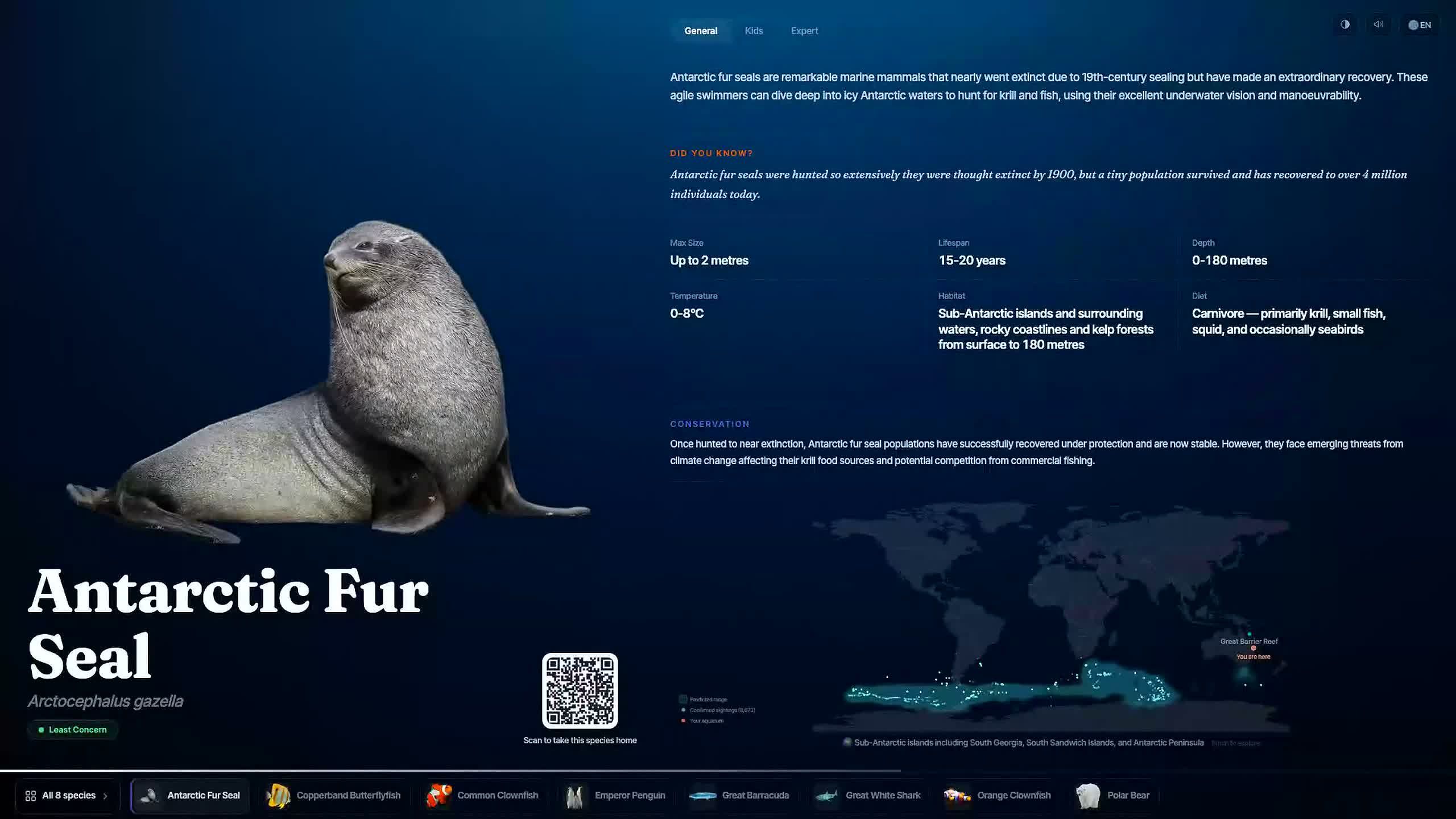
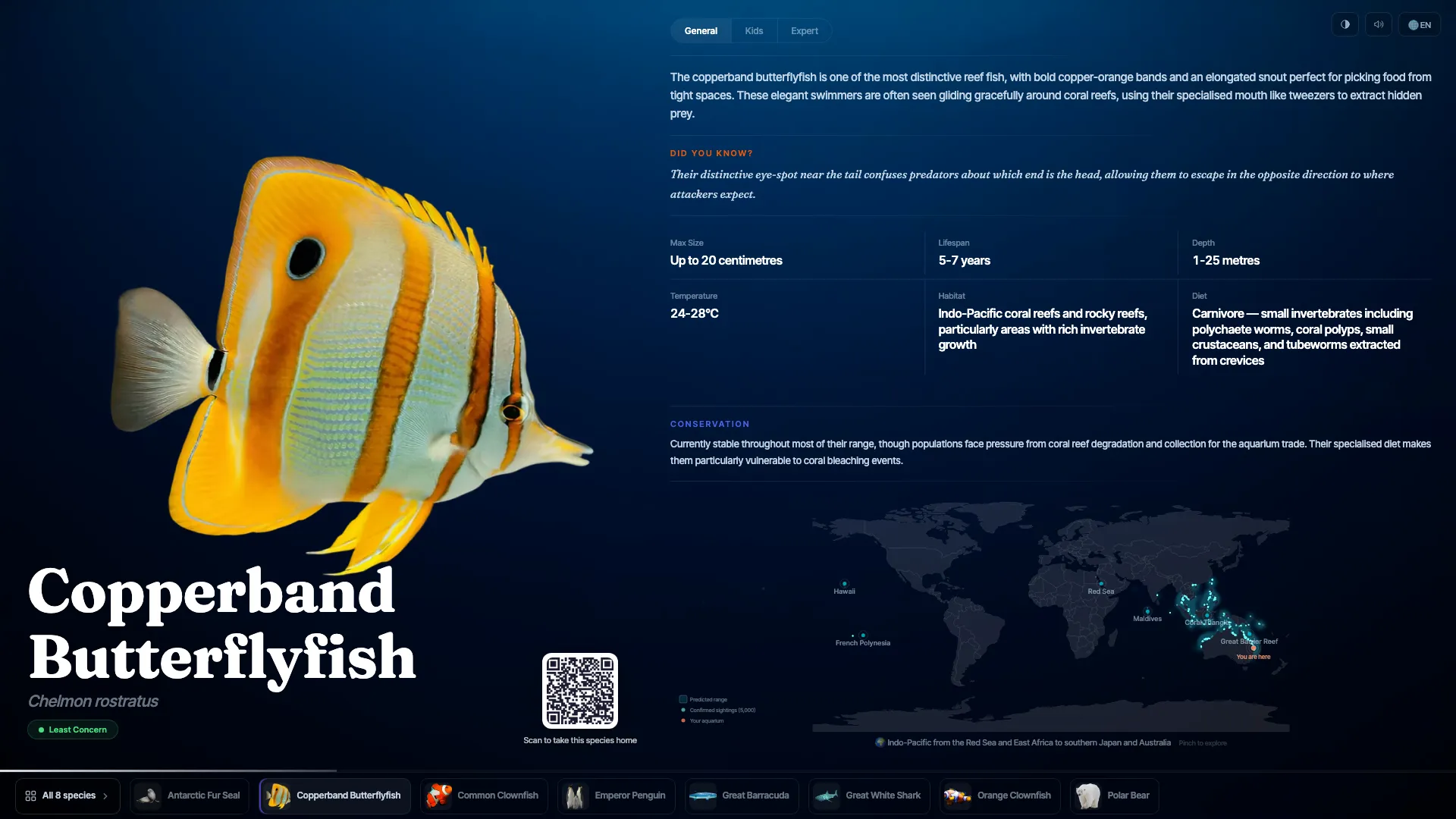
Tap a species below
All 6 species
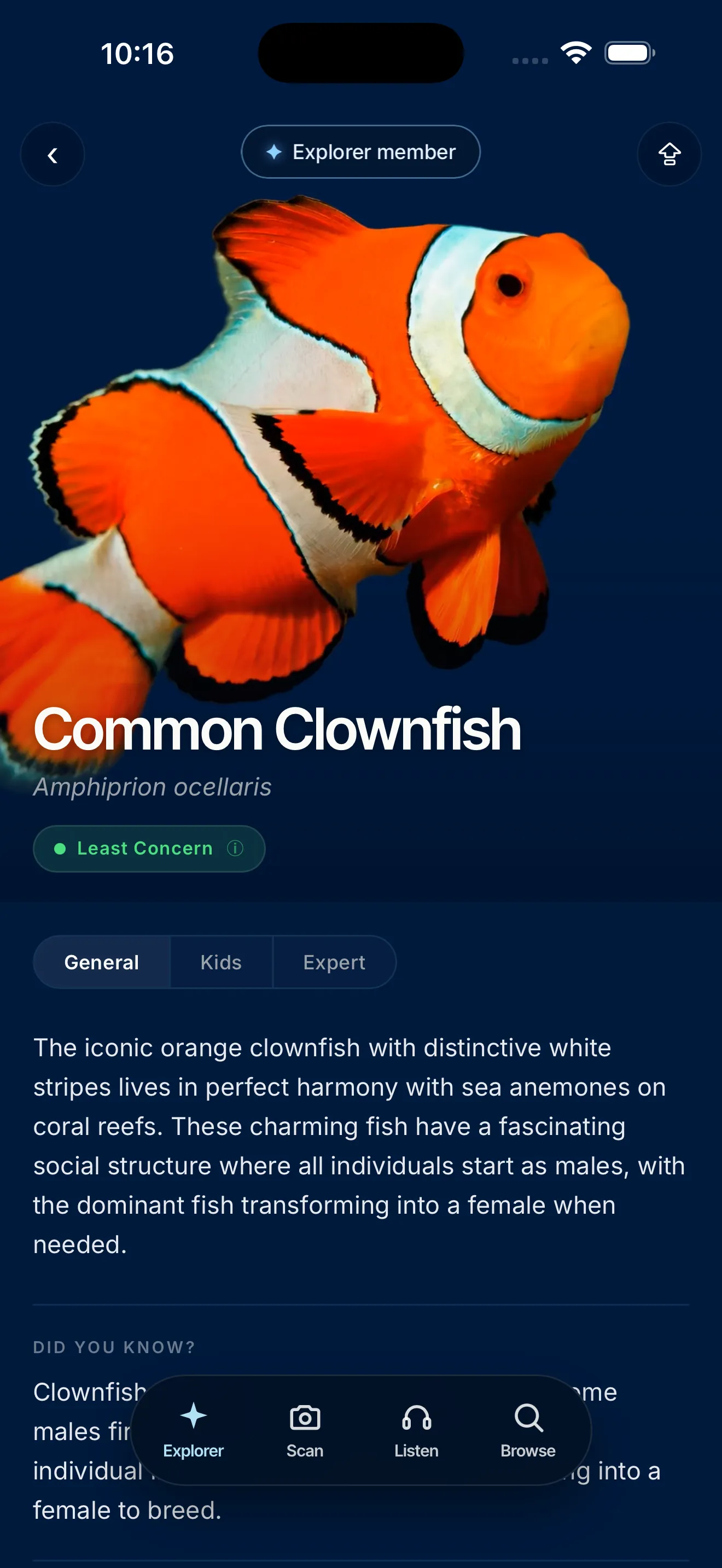
iPhone 17 Pro Max running the Slate companion app

Three reading levels

General · Kids · Expert

Narrated audio

Every species, spoken on tap.

High-contrast

Readable for low-vision guests.

60 languages

On-screen, resets each guest.

Least Concern

Live from the IUCN Red List.

Works offline

Runs with no network.

Scroll

The highlights.

An interactive display on every wall.

Real species, real science, moving on screen. Touch to explore, beautiful at rest.
Your venue, in every visitor’s pocket.

Scan any screen. Explore every species.
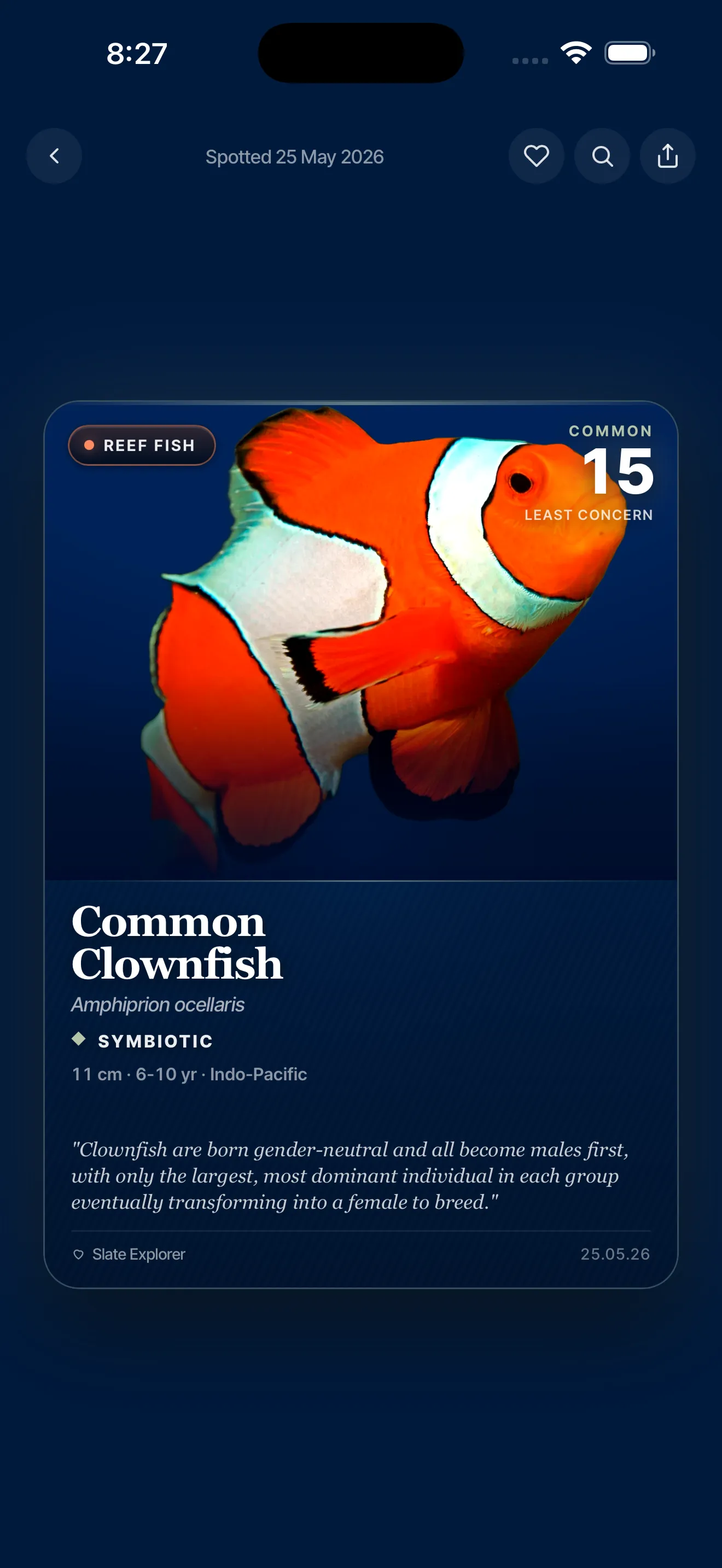
✦ Explorer turns one visit into a collection.

AR scanning, collectible cards, quests, and narrated tours of every tank. Across every Slate venue, with $1 a month to your conservation work.

Your screens, selling your venue.

Build promotions in a visual editor and schedule them to any screen.
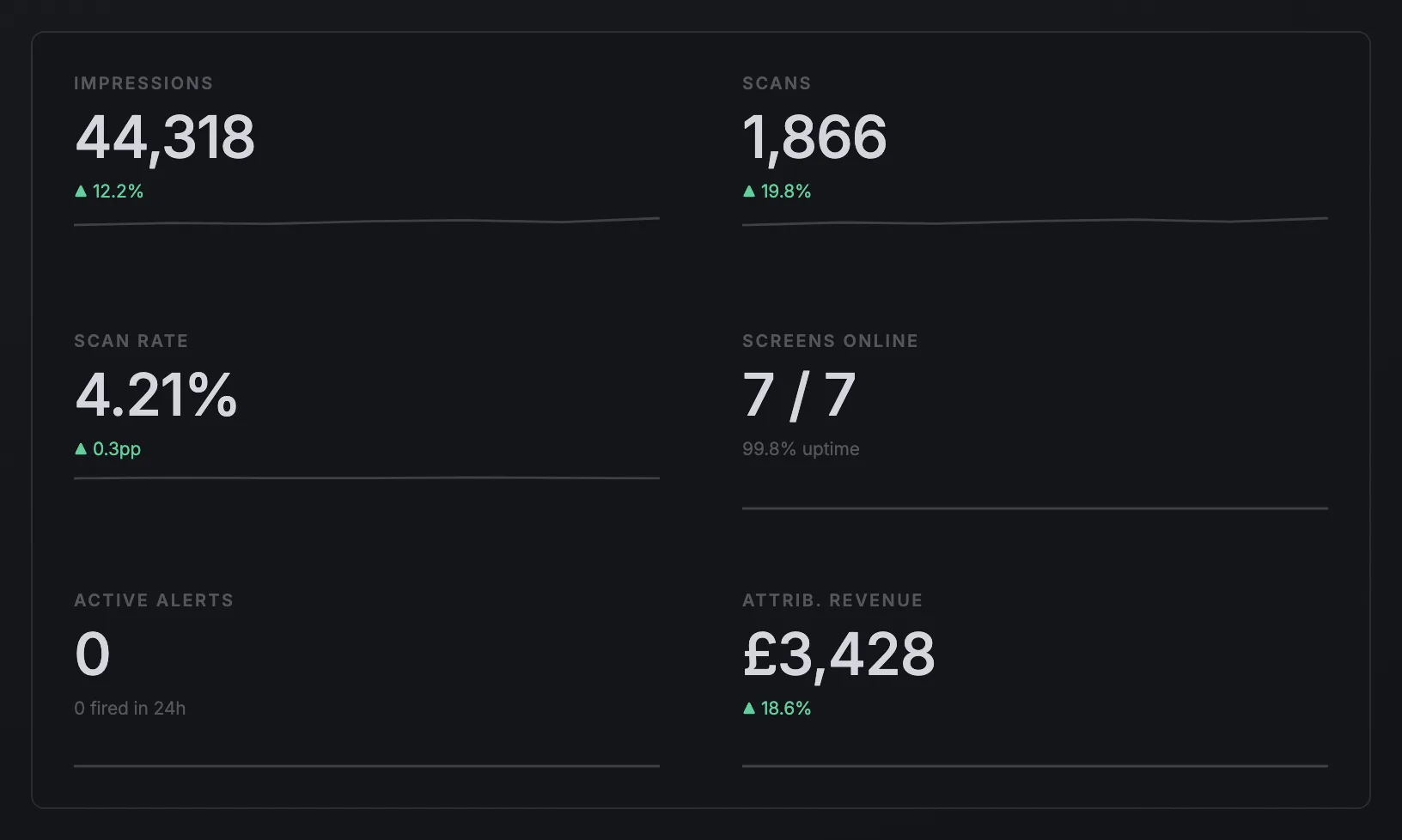
Every screen, measured.

Impressions, scans, attributed revenue. Live, with alerts and reports.
Set up in an afternoon.
Forget it’s there.

Every species preloaded. Plug in, pick yours, live.

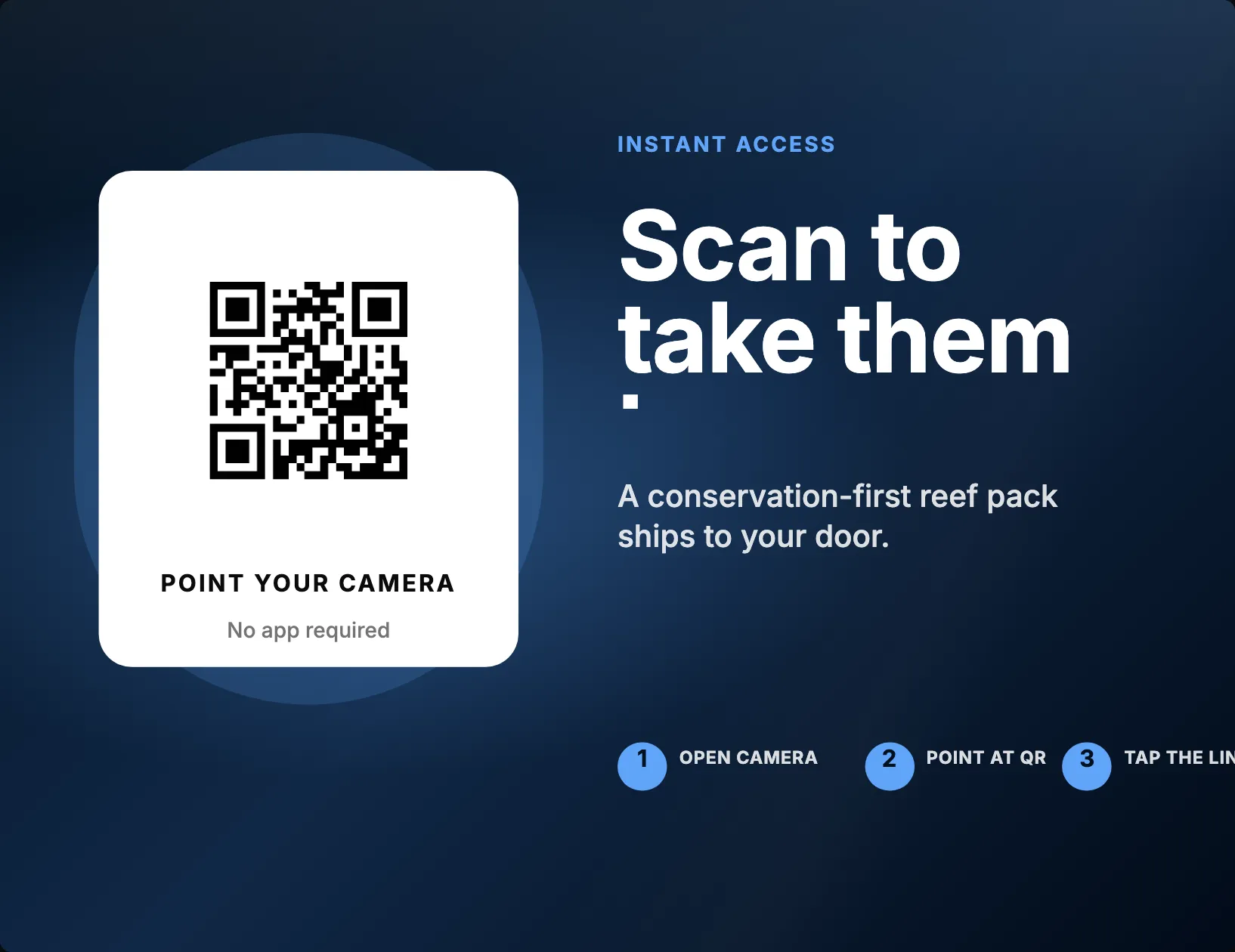
One scan. The whole guide,
in their pocket.

Free for every visitor. No app to install.

Free for every visitor

Built for your busiest days

No bottleneck at the screen on peak days.

Species audio

Press play, every species narrated.

A channel to every guest

Reach every guest, during the visit and after.

Every scan, a future Explorer

A natural path to the full Explorer experience.

Listen
Copperband Butterflyfish
About this animal
0:000:32
✦ Explorer mode

For visitors who want
to go deeper.

Think Pokémon GO for your venue: guests scan animals, complete field assignments and climb an eight-rank career, guided by Ella, our field scientist. Every subscriber funds your conservation work, $1 a month.
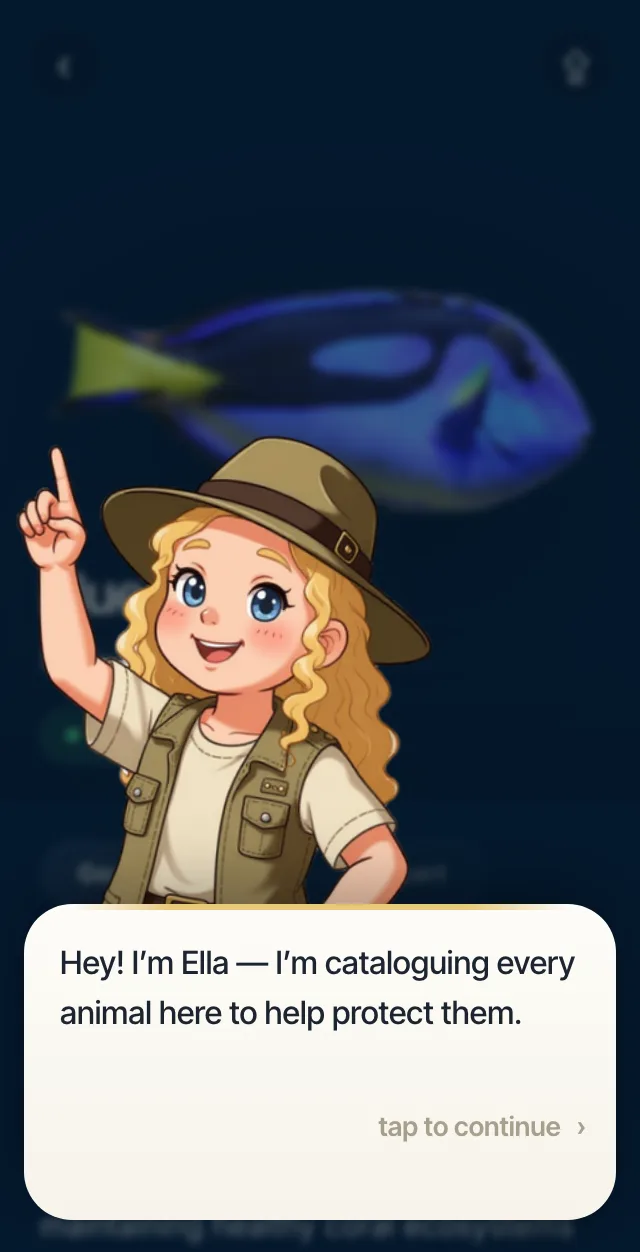
Ella, the Explorer field guide, welcoming a guest on a species page
Meet Ella, your guests’ field guide.
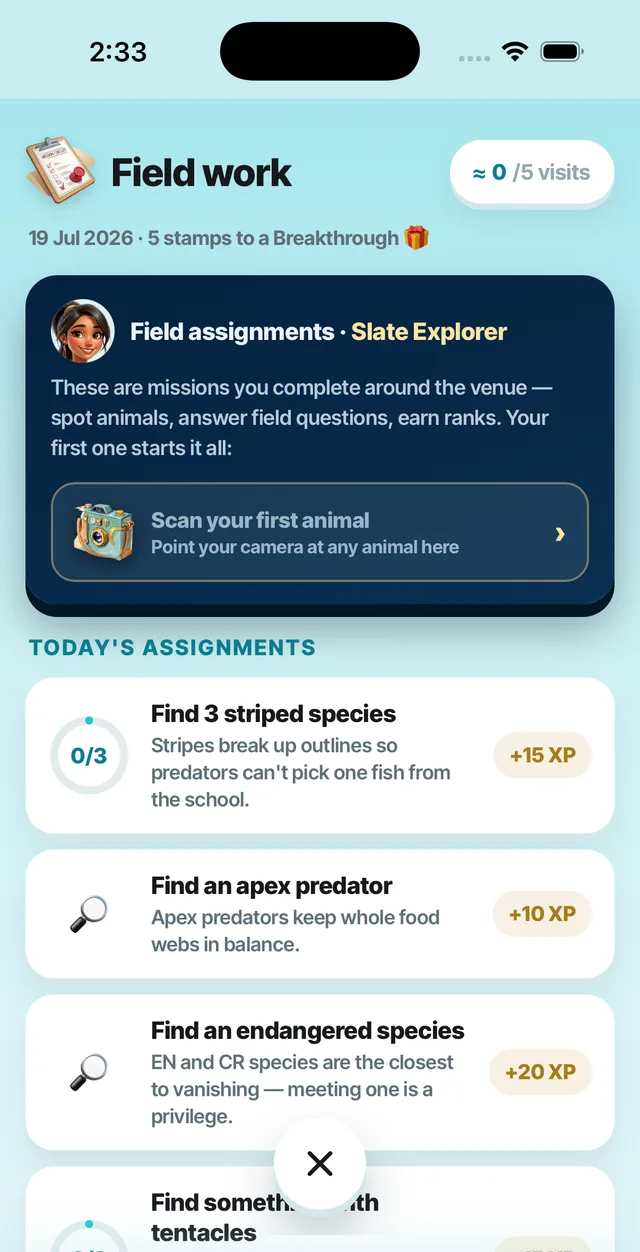
Field work — today’s assignments and visit stamps
Field assignments, written from your roster.
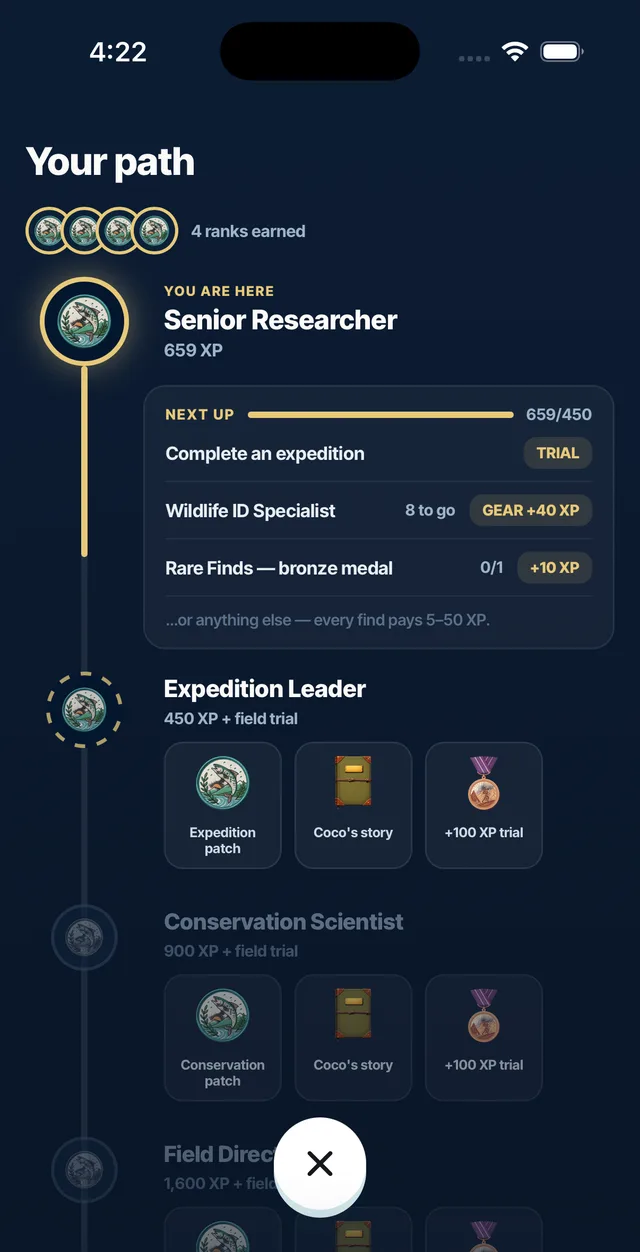
Your path — the eight-rank ladder with field trials and rewards
An eight-rank career with field trials.
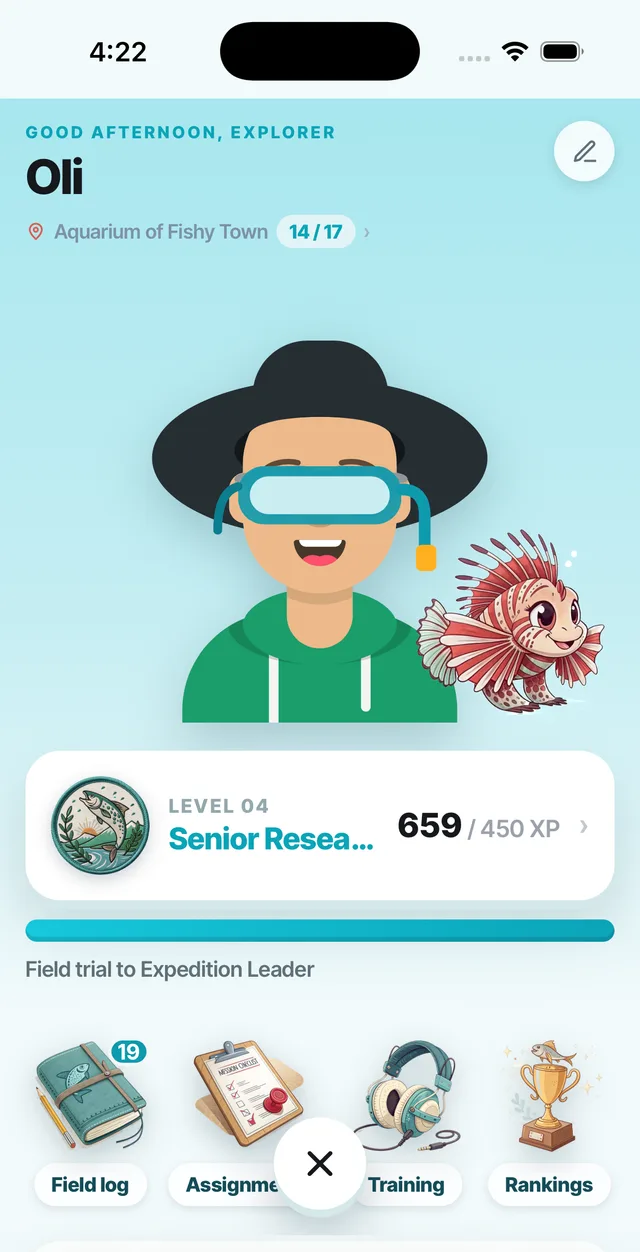
An Explorer profile — customised character, buddy species and the Senior Researcher rank
A career that grows every visit, at every venue.
Scan to ID & collect

Camera → card, instantly.

Whole-tank audio tours

Exhibit by exhibit, offline-ready.

Field assignments

“Find 3 striped species.” Written from your roster.

An eight-rank career

Naturalist to Conservationist, with field trials.

Character & buddy

An avatar with earned gear, plus an animated buddy.

Every Slate venue

One account, everywhere.

Every Explorer gives $1 a month to conservation.

Paid straight to your own conservation arm, if you have one. Your visitors directly funding your mission.

1,000Explorers $12,000a year for conservation

Mission control.

Every screen, run from one dashboard.

1
Build it before it arrives

Set up species, campaigns and schedules in the CMS first.

2
Plug it in

Boots straight to setup.

3
Enter your PIN

Pick your slot.

4
It’s live

Two minutes, done.

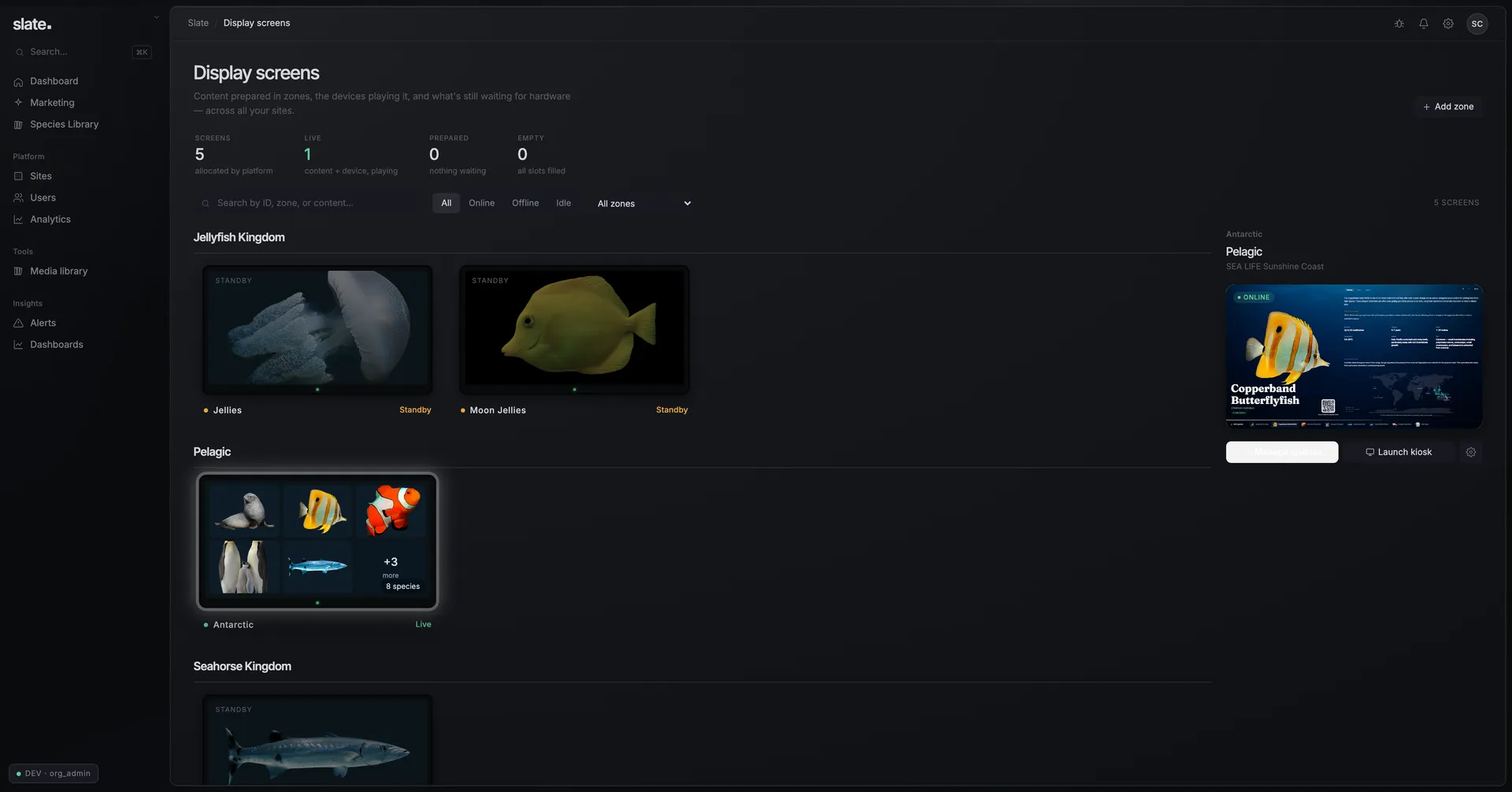
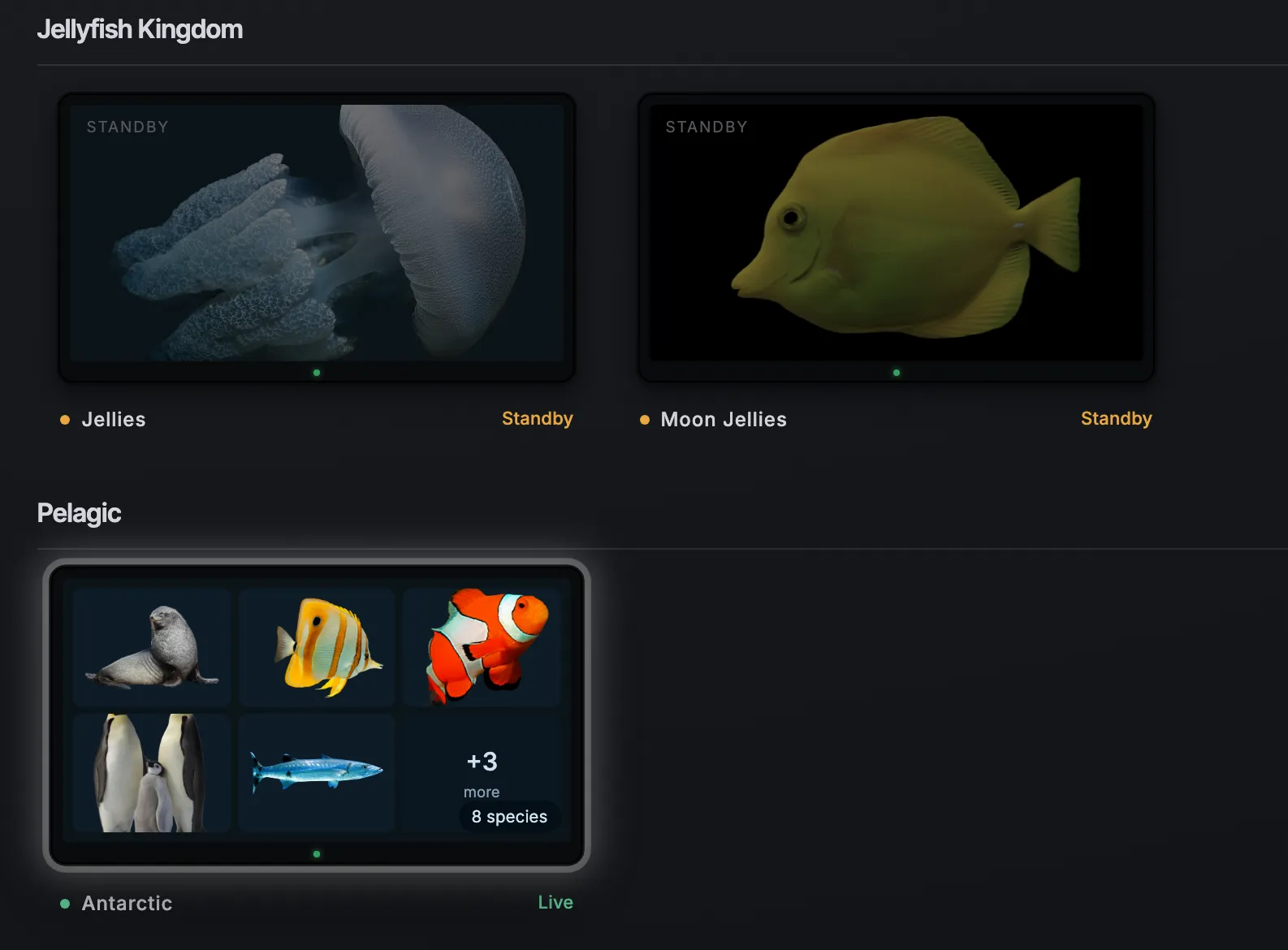
The Displays dashboard — every screen as a live tile with status, and a selected screen's live view

From your desk. Manage species, campaigns, brightness, volume, schedules, restarts and more.
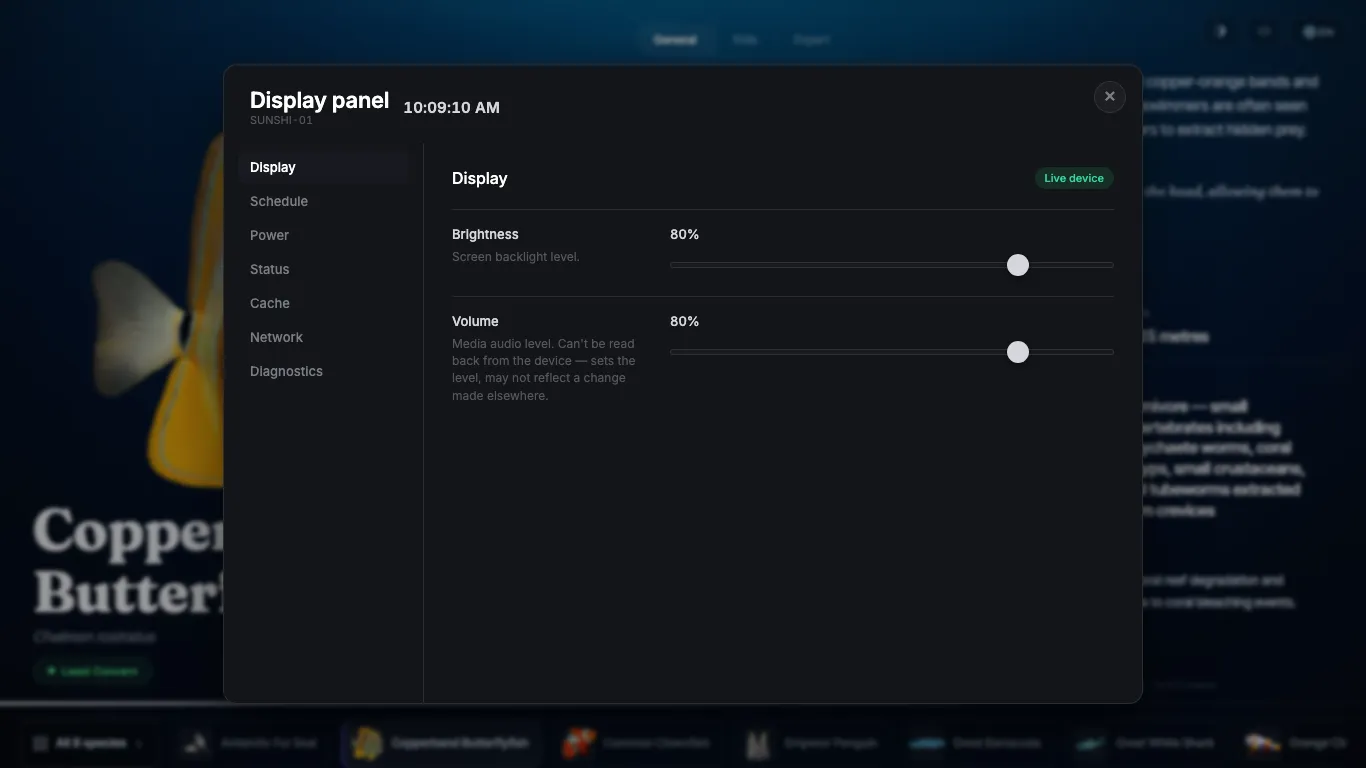
The on-device display panel over the live kiosk — brightness and volume controlled on the screen itself

Or on the screen. Control of species and settings, plus schedules for other displays too.

~2 min

From power-on to live. Pairing happens on the touchscreen itself.

Day / Night

One-tap presets and central schedules. The whole fleet dims and sleeps on site time.

15 GB

On-device cache. Screens run straight through network outages and re-sync on their own.

The marketing engine.

Design promotions, target them across the fleet, and measure exactly what they earn.
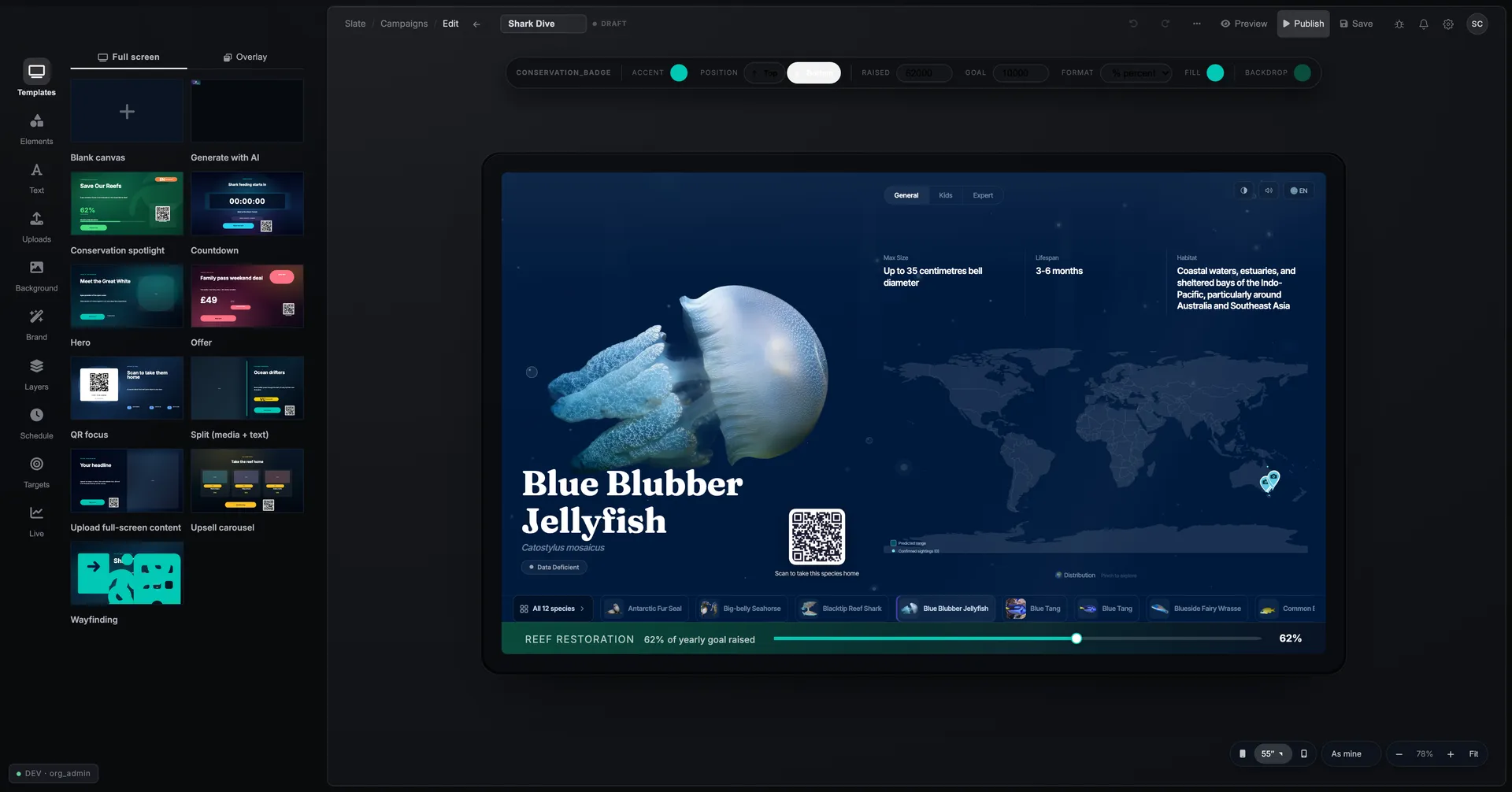
The campaign editor — template library, element canvas and live kiosk preview
Design

A live editor for pixel perfect campaigns.
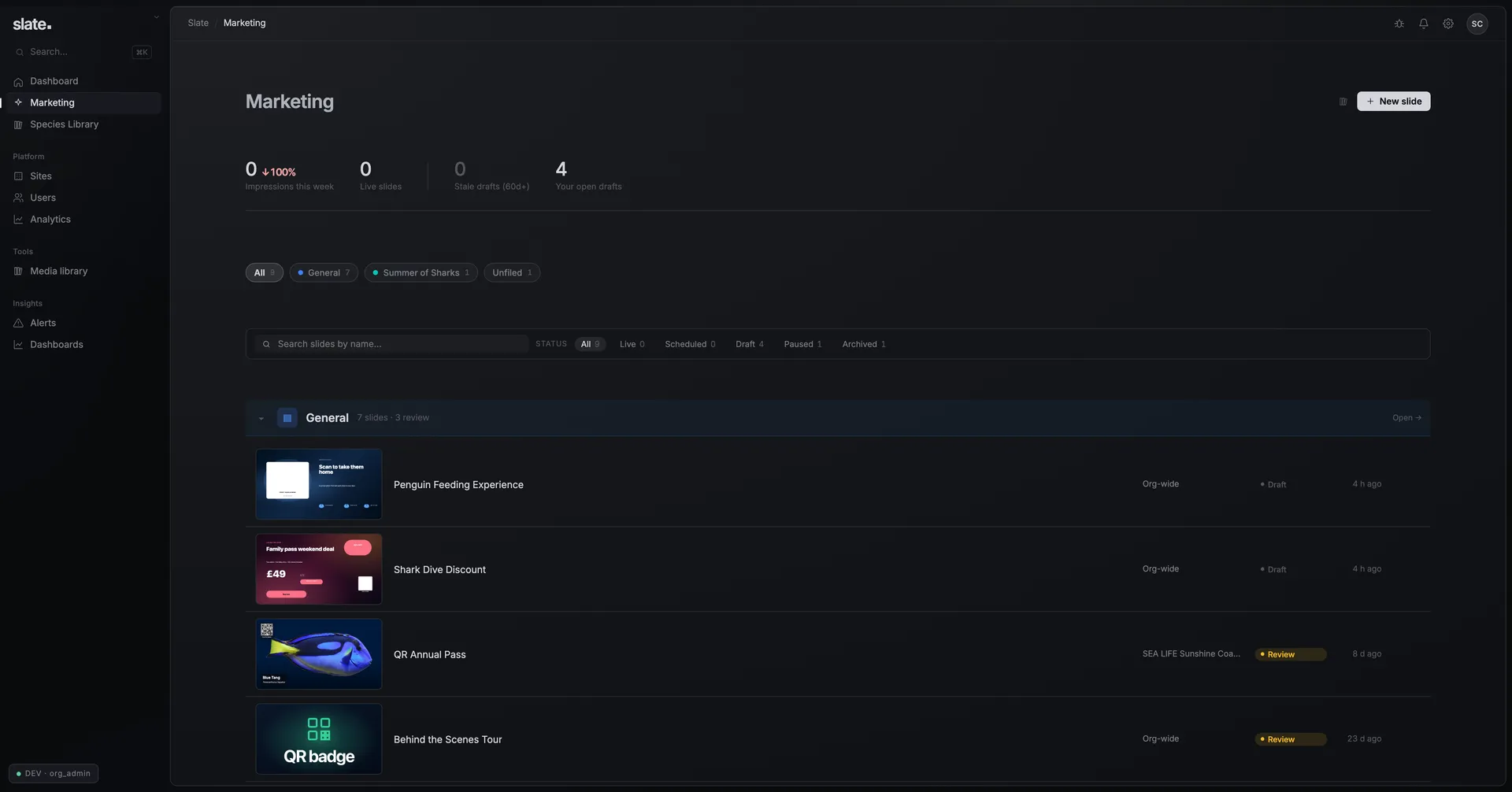
The Marketing dashboard — campaign groups, statuses and creative thumbnails
Organise

Campaigns and groups for every season.
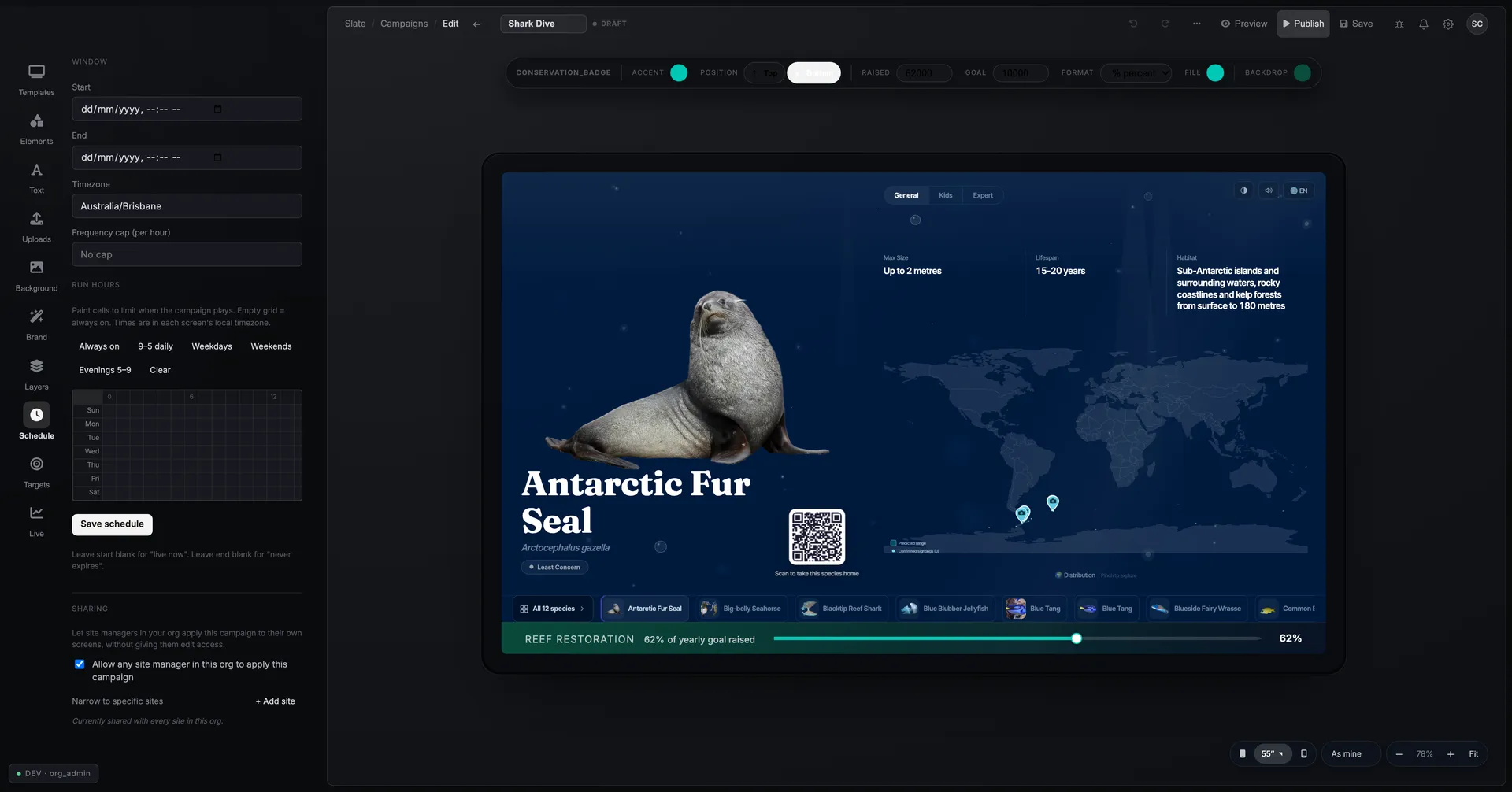
Campaign scheduling — dayparts, day-hour grid and frequency caps
Schedule & target

Right screen, right time, by rule.

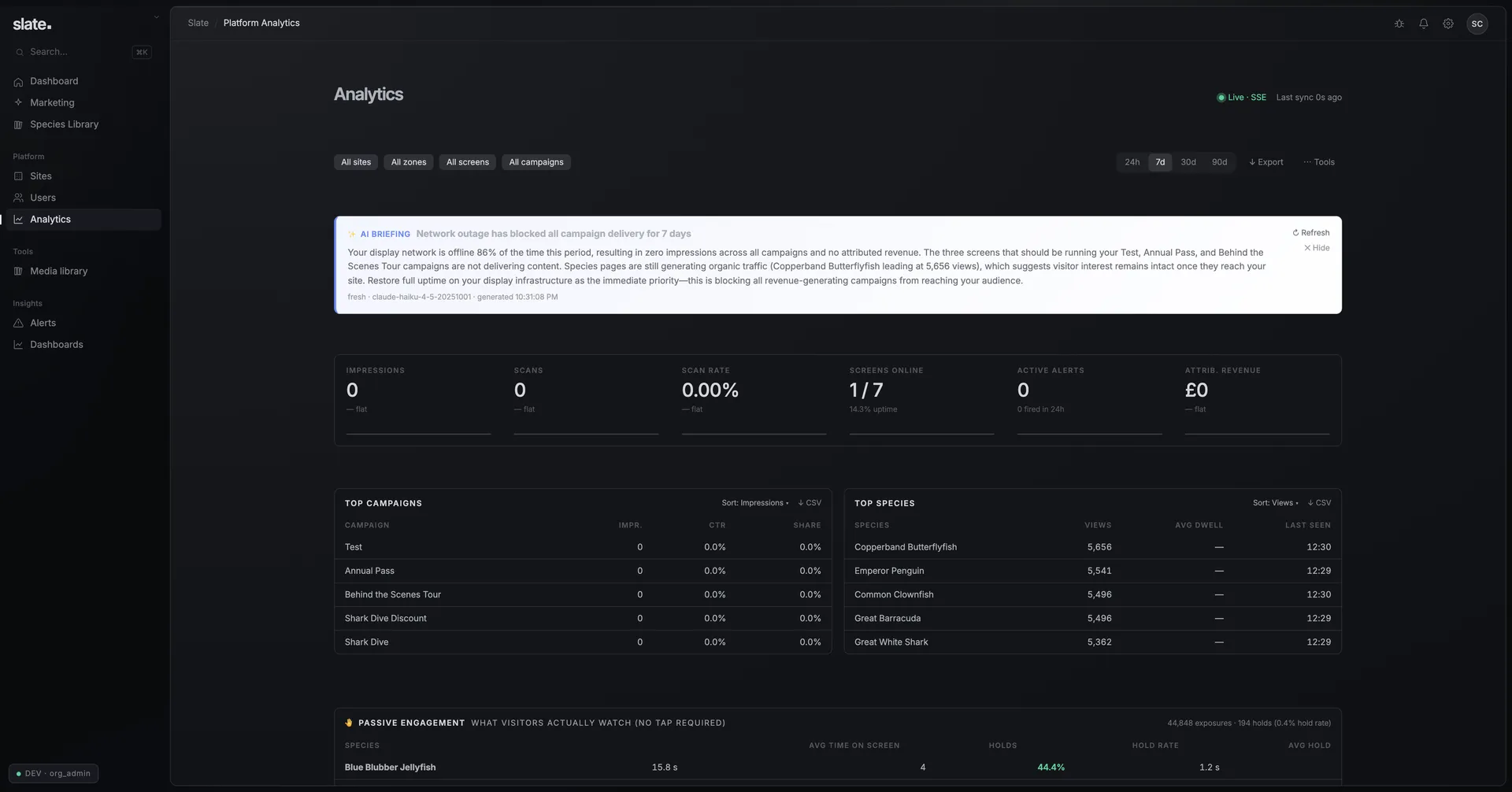
Analytics — AI briefing, KPIs and the top-campaigns table
Measure

Track performance by campaign, screen and species.

Subtle, or full screen.

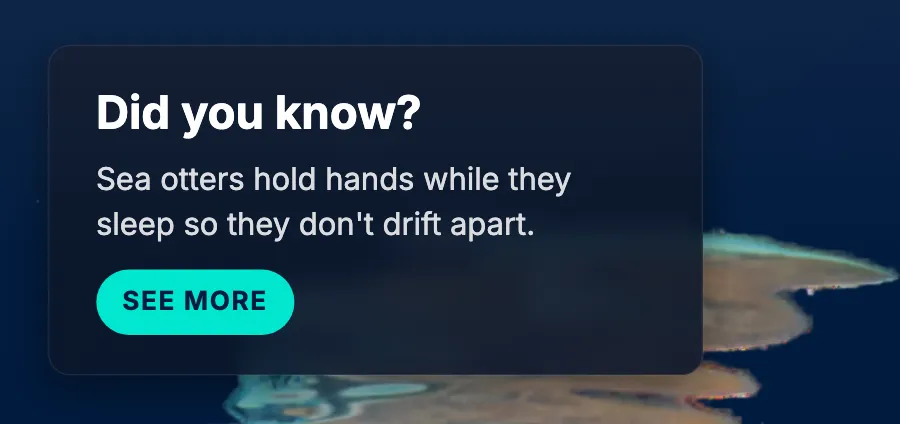
Light overlays, or full-screen takeovers. Try each live.

A Slate exhibit screen

Every fact, verified.

Nothing on a Slate screen is invented. Every species is built from the same trusted datasets researchers use, and its conservation status refreshes automatically from the IUCN Red List.

July 2016

The IUCN uplisted the whale shark.

Vulnerable became Endangered, and every Slate screen carried the new status the same week, automatically. Statuses re-check weekly across all six datasets, with no one lifting a finger.

Whale shark
Whale shark
Rhincodon typus
Endangered Updated automatically
Species data drawn from
IUCN Red List GBIF OBIS WoRMS iNaturalist WDPA

The hardware.

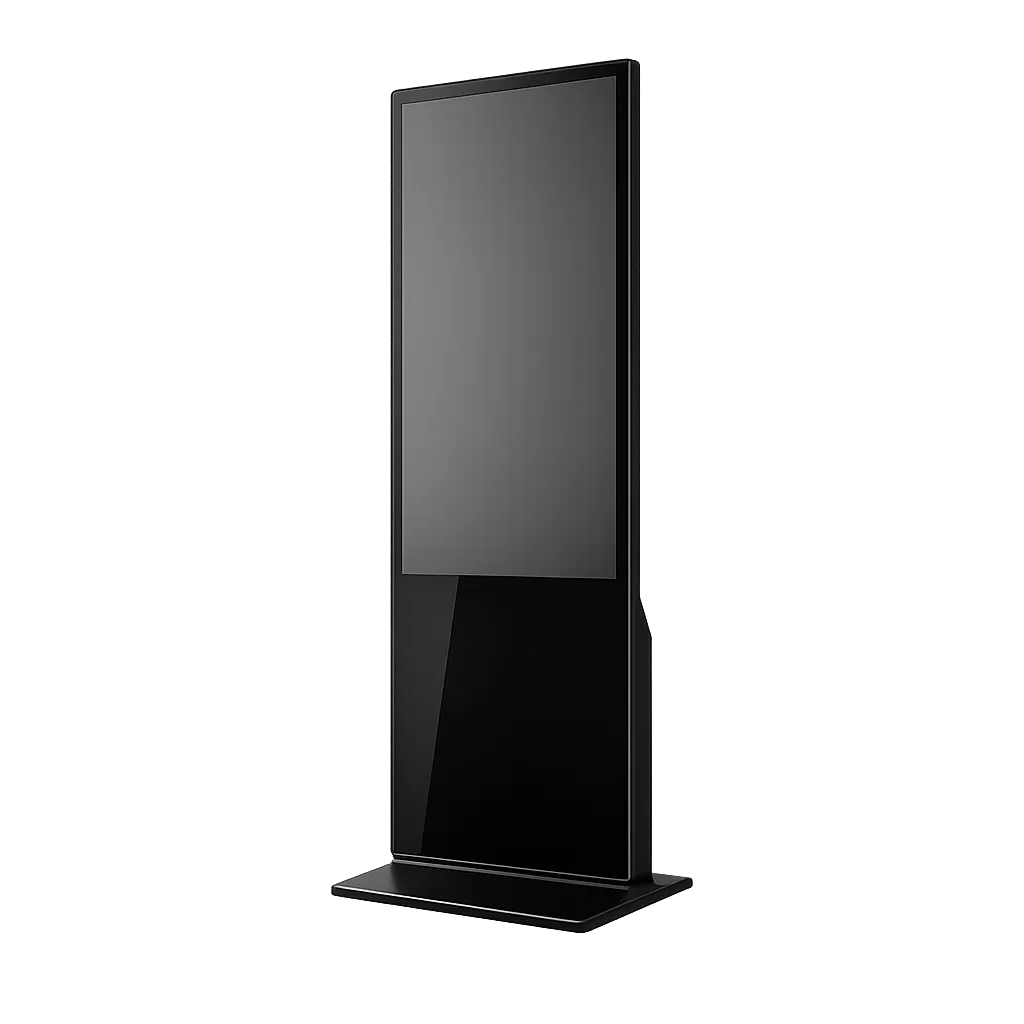
Durable commercial screens. Three favourites here, custom available.
Slate wall display showing a live species screen
Standard display. The standard Slate screen, any size, portrait or landscape.
Free-standing floor totem kiosk
Floor totem. Free standing, expanded content visibility.
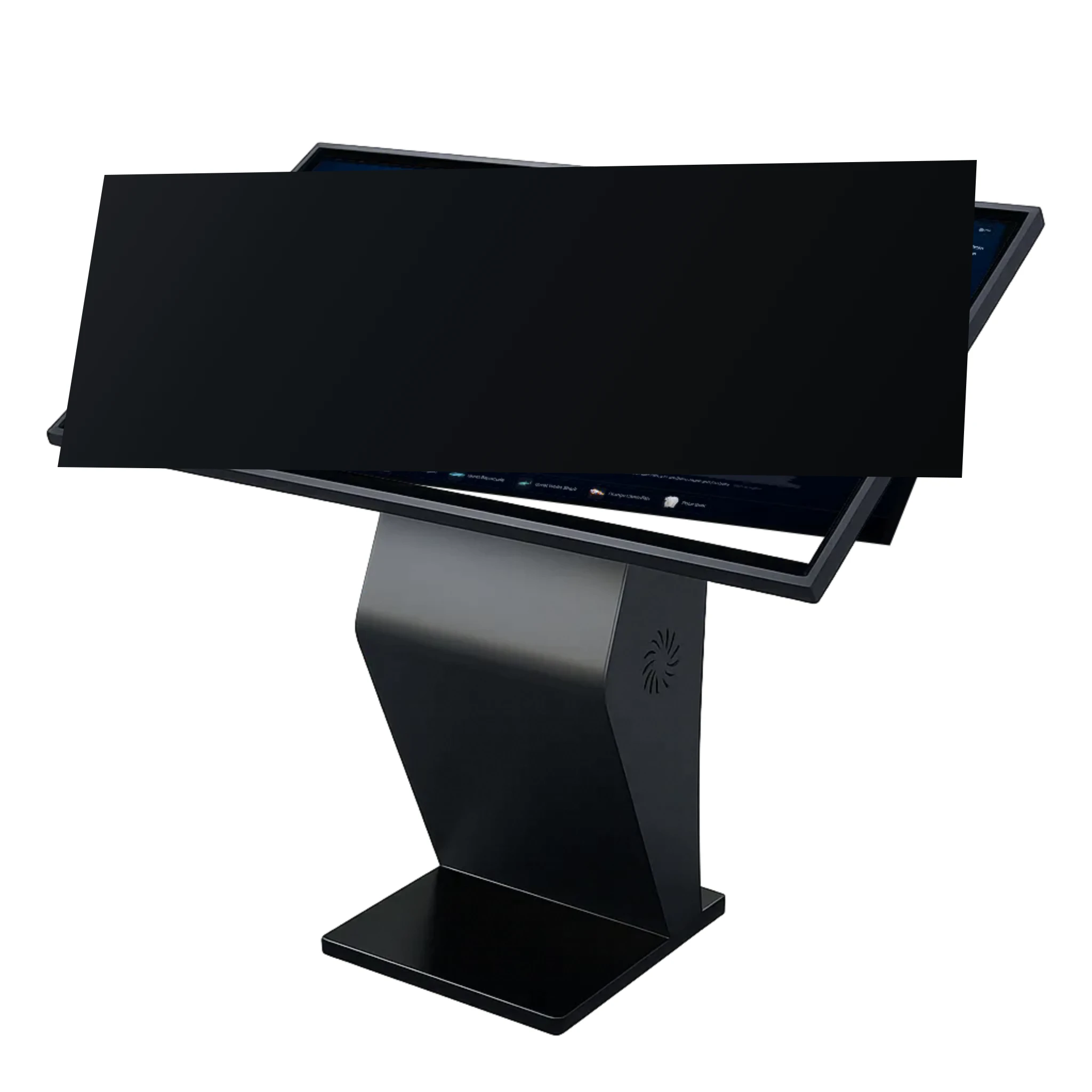
Angled touch-table kiosk
Touch table. The browsing station for busy halls and learning spaces.
RK3588

Flagship octa-core silicon with a 6-TOPS AI engine that drives 4K interfaces without breaking a sweat.

Mohs 7

Tempered glass as hard as quartz. Keys, coins and rings can't leave a mark.

500 nits

Around twice the brightness of a living-room TV, vivid under full gallery lighting.

10-point

Capacitive multi-touch. A whole family can explore the same screen at once.

Matte

Etched anti-glare panels. No reflections between the guest and the animal.

IP68

Fully sealed builds on option, dust-tight and waterproof for splash zones.

Stereo speakers, 4 GB RAM and 32 GB storage as standard. Every unit is configurable to its site: enclosure-side, in-tank, an awkward corner. Custom builds are part of the catalogue.

Built to profit.
See it on your figures.

Preset with deliberately modest figures — even these pay for the screens quickly. Tune them to your venue.
Screenshow many will you need? · across your venue
20
Visitors a dayyour typical daily footfall
Annual passesroughly how many do you hope to sell?
a day·£each
Tours & experienceswhat is the total average daily value of your tour & experience revenue?
£/ day
out of that, how much do you think typically goes unbooked?
% unbooked
Shop & caféroughly how much each visitor spends at your café or shop a day
£per visitor
and what do you keep from each of those pounds, after stock and staff?
% margin
Conservation fundfrom every new Explorer subscriber
new a day·£1a month
Your cost, both ways

Own the hardware,
or start tomorrow.

Buy outright

Own the screens, license the software.
  • One-time hardware purchase
  • Software subscription
  • Lowest long-run cost
  • Full ownership of the asset
Best when you want to own the hardware outright as a long-term asset.
Every path includes
CMS & analyticsVisitor companion appSpecies database & updatesSupport, monitoring & remote control